live.fm
live.fm
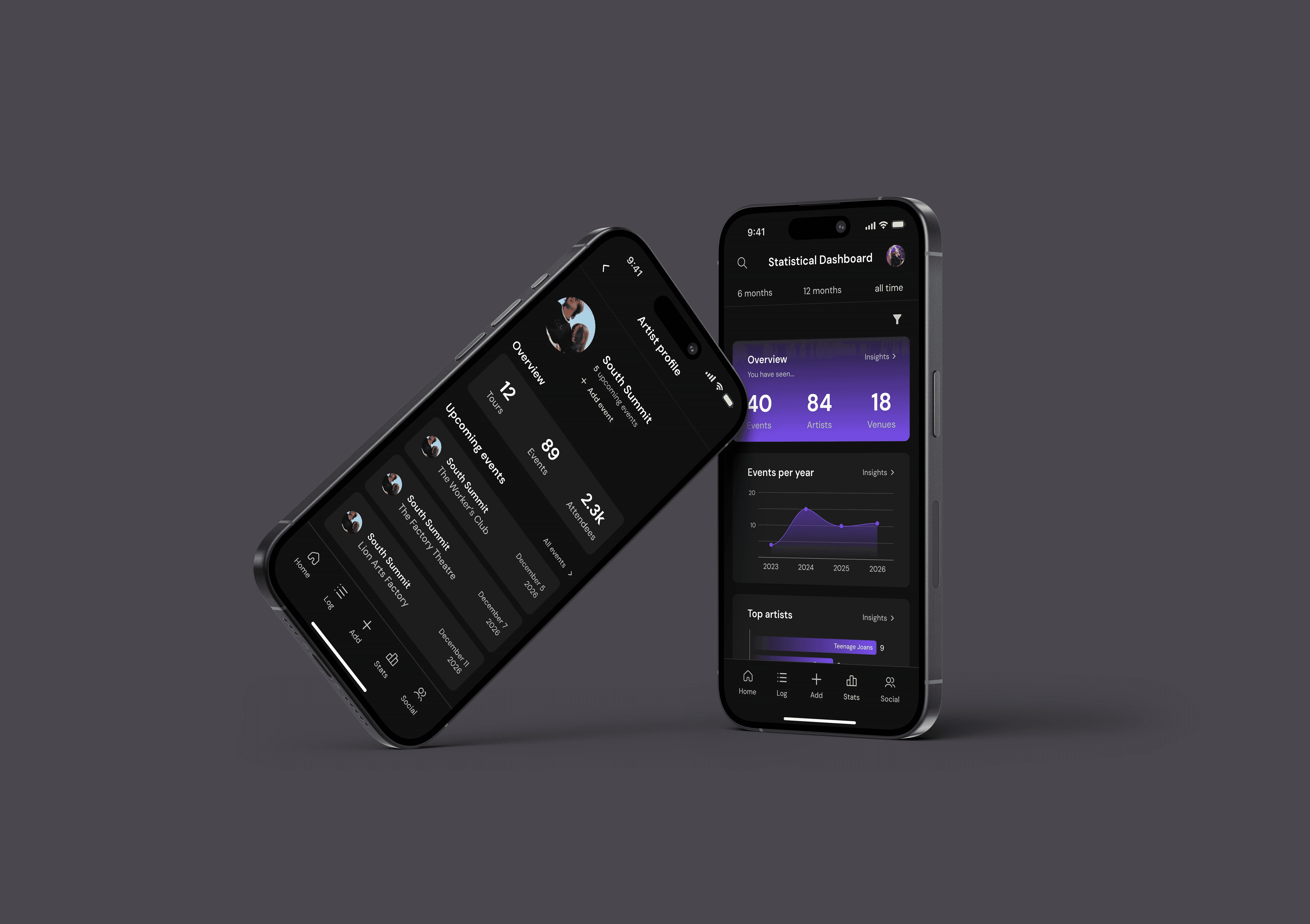
Project Overview
Project Overview
Live.fm is a statistical visualisation application created for an Experience Design and Usability class. The app allows users to track their live music and concert attendance, view their attendance statistics through a statistical dashboard and follow their friends' profiles.
Live.fm is a statistical visualisation application created for an Experience Design and Usability class. The app allows users to track their live music and concert attendance, view their attendance statistics through a statistical dashboard and follow their friends' profiles.
Discipline
Discipline
UX/UI Design
My Role
My Role
UX Researcher
UI Designer
Deliverables
Deliverables
Mobile app
Time Frame
Time Frame
16 weeks
View prototype

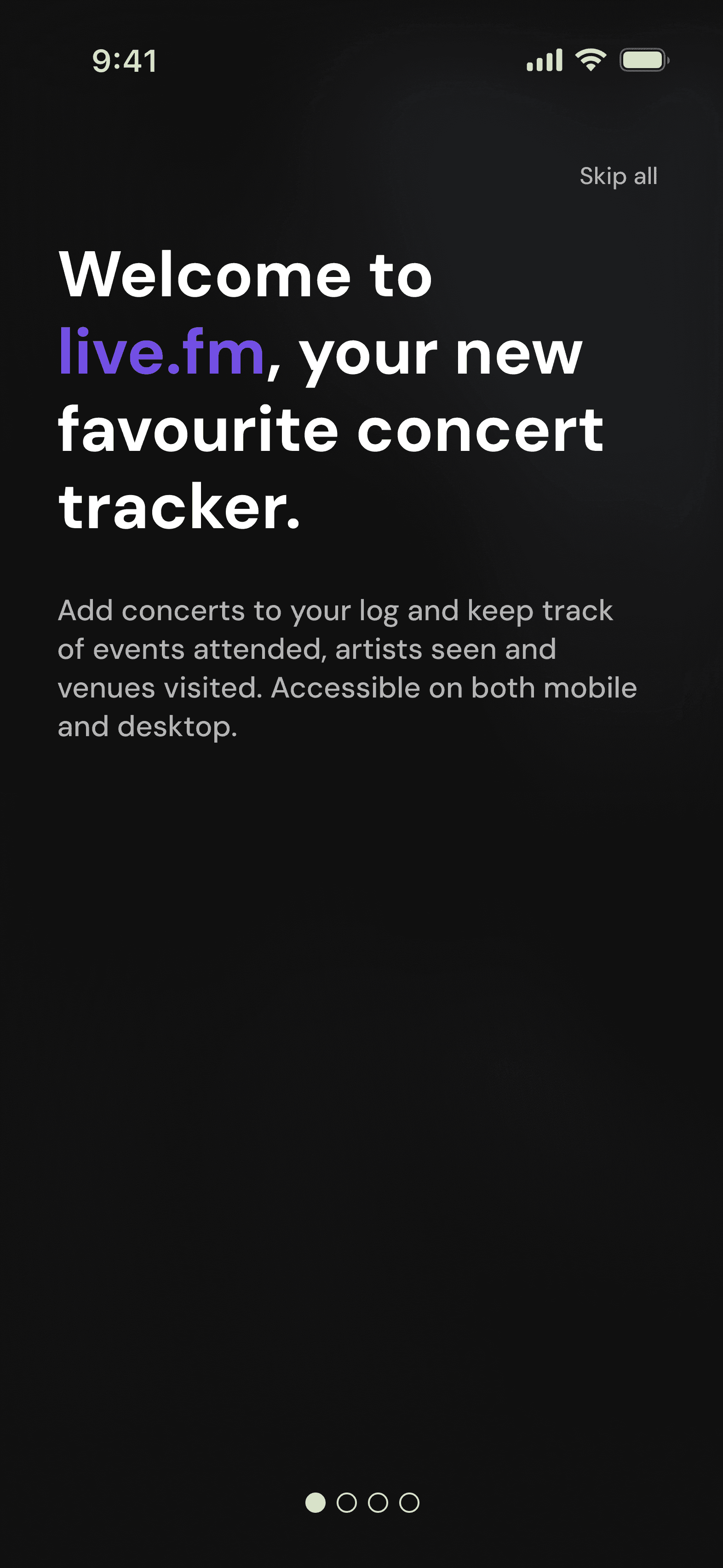
Welcome to live.fm,
your new favourite concert tracker.
Introducing Live.fm
Introducing Live.fm
Introducing Live.fm
Brief Overview
Brief Overview
Brief Overview
The objective of the assigned project brief was to create a statistical visualisation application within a category of my choice. The chosen concept for my app is a concert and live music event tracking app called live.fm. Live.fm allows users to create a social profile and connect with friends, track events they've attended or are going to attend, upload personal event photos and view their attendance statistics in various visualised forms.
The objective of the assigned project brief was to create a statistical visualisation application within a category of my choice. The chosen concept for my app is a concert and live music event tracking app called live.fm. Live.fm allows users to create a social profile and connect with friends, track events they've attended or are going to attend, upload personal event photos and view their attendance statistics in various visualised forms.
Research and Understanding
Research and Understanding
Research and Understanding
Literature Review
Literature Review
Literature Review
The first stage of research required within the brief was to complete a literature review of three different peer-reviewed articles, analysing them across four key categories. The findings of each were then used to influence future interview questions and design decisions.
The first stage of research required within the brief was to complete a literature review of three different peer-reviewed articles, analysing them across four key categories. The findings of each were then used to influence future interview questions and design decisions.
Competitive Analysis
Competitive Analysis
Competitive Analysis
Since there are very few concert tracking products available, analysing existing products allowed me to identify key market gaps and opportunities for my app. The three products chosen were Concert Archives, Setlist.fm and RAVR.
First, extensive functional analyses and visual design analyses were carried out on all three competitors, highlighting the features of each product, their effectiveness and visual design techniques used throughout. The results were summarised in a competitive analysis matrix.
Since there are very few concert tracking products available, analysing existing products allowed me to identify key market gaps and opportunities for my app. The three products chosen were Concert Archives, Setlist.fm and RAVR.
First, extensive functional analyses and visual design analyses were carried out on all three competitors, highlighting the features of each product, their effectiveness and visual design techniques used throughout. The results were summarised in a competitive analysis matrix.
Competitive Analysis Matrix
Competitive Analysis Matrix
Competitive Analysis Matrix
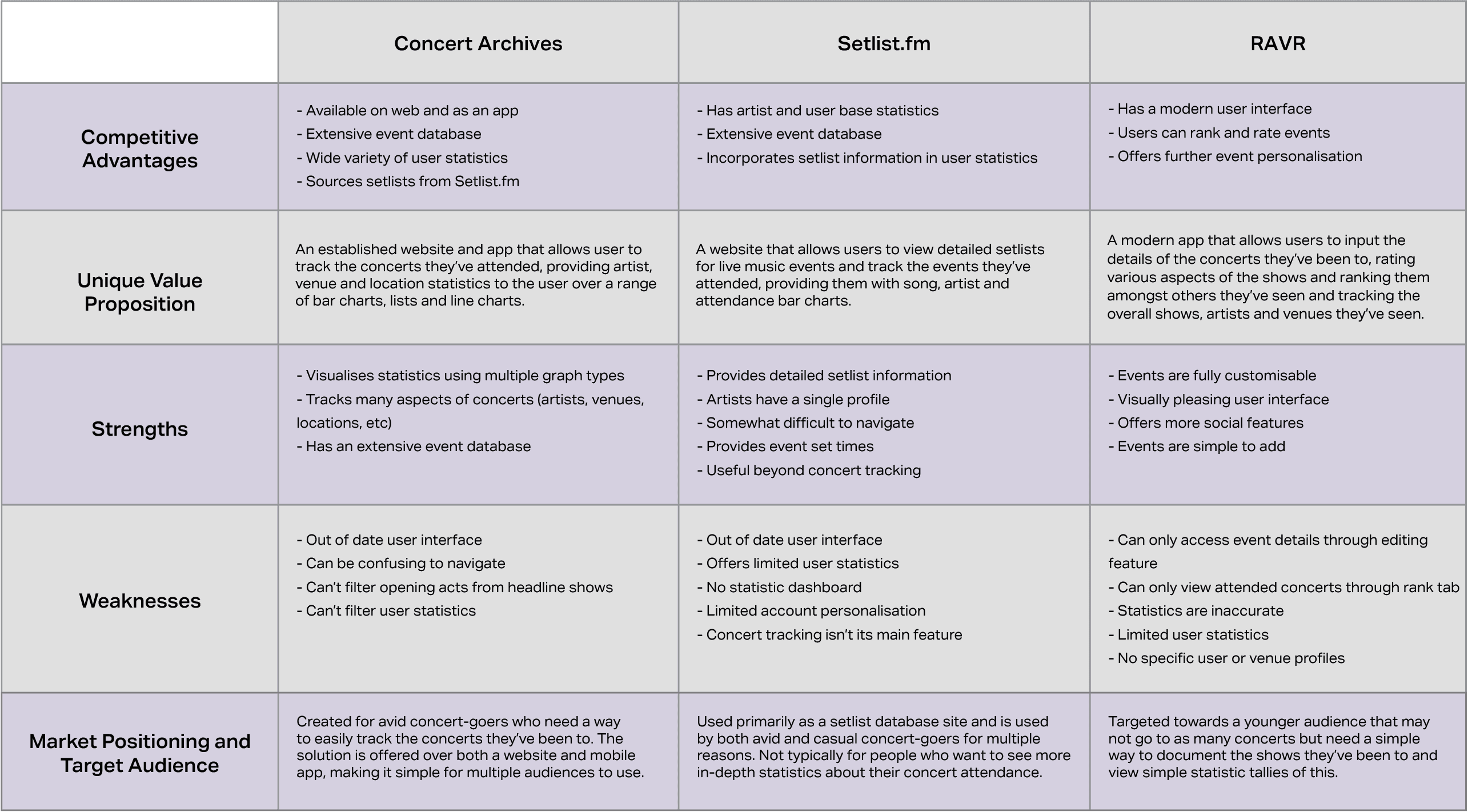
The final analysis conducted was of the interaction and navigation patterns of the competitor sites. These three analyses were used to identify future opportunities and possible market positioning for my app.
The final analysis conducted was of the interaction and navigation patterns of the competitor sites. These three analyses were used to identify future opportunities and possible market positioning for my app.
User Interviews
User Interviews
User Interviews
To conduct user research, I found three participants within my target audience, people from the age of 18-30 who attend a lot of live music events. Three semi-structured interviews were conducted face-to-face with participants, with a duration of around 45 minutes each.
Questions asked covered user needs, current user behaviours and pain points, feature and design preferences and interaction expectations.
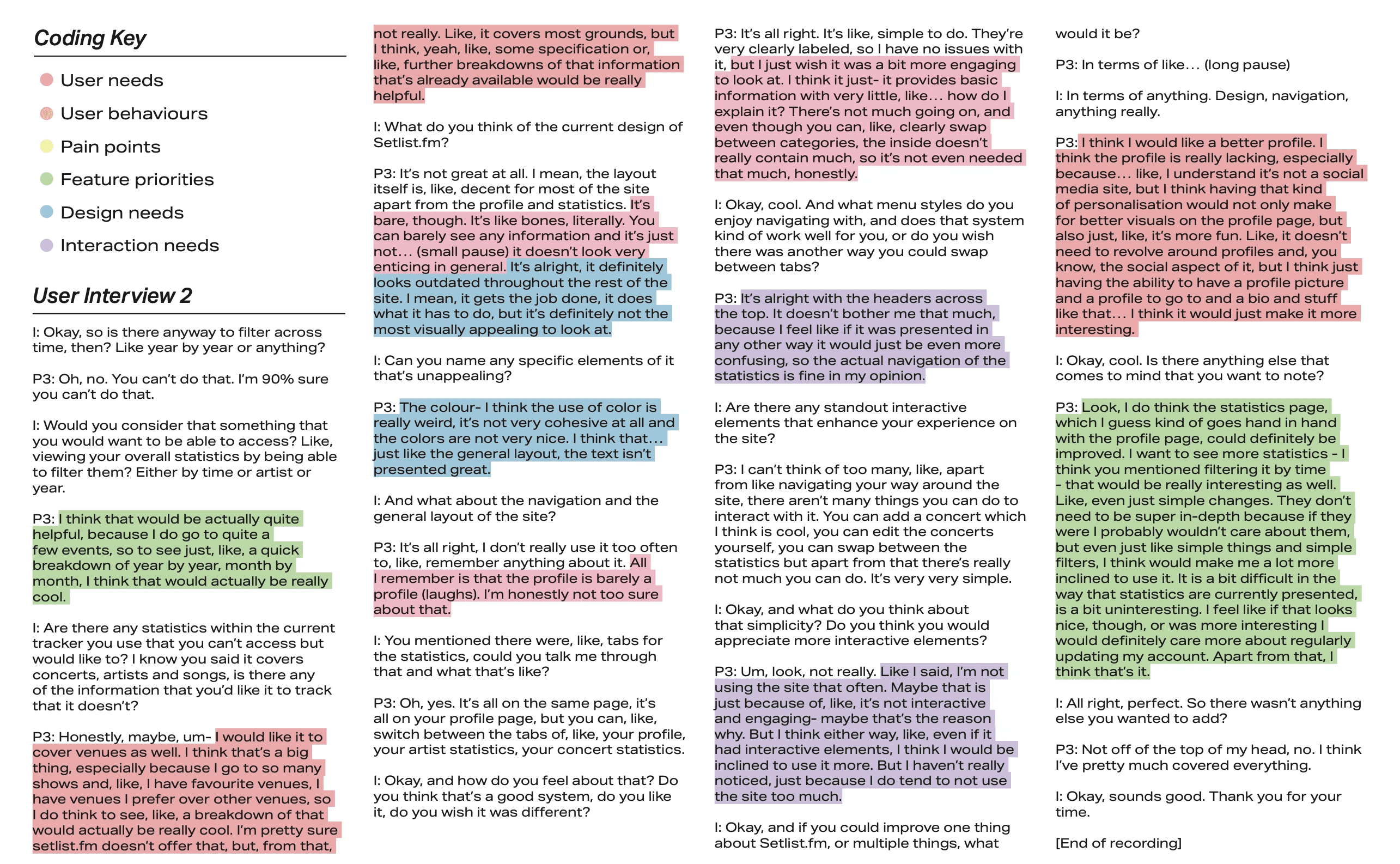
Once all interviews were conducted, they were transcribed and analysed to extract key findings, which were then categorised over a variety of code categories. Completing this systematic coding helped to better understand key findings, user pain points and user needs.
To conduct user research, I found three participants within my target audience, people from the age of 18-30 who attend a lot of live music events. Three semi-structured interviews were conducted face-to-face with participants, with a duration of around 45 minutes each.
Questions asked covered user needs, current user behaviours and pain points, feature and design preferences and interaction expectations.
Once all interviews were conducted, they were transcribed and analysed to extract key findings, which were then categorised over a variety of code categories. Completing this systematic coding helped to better understand key findings, user pain points and user needs.
Example of Systematic Coding
Example of Systematic Coding
Example of Systematic Coding
Key Findings and Suggestions
Key Findings and Suggestions
Key Findings and Suggestions
Literature Review
Using a visually appealing colour palette, icons and animations enhance user engagement and recall.
Using a visually appealing colour palette, icons and animations enhance user engagement and recall.
Using a visually appealing colour palette, icons and animations enhance user engagement and recall.
Dashboard customisation increases cognitive load and can be ineffective if it is too complex.
Underestimating users’ graph literacy and choosing meaningful graph types in my project will increase user engagement.
Competitive Analysis
Competitive Analysis
Competitive Analysis
None of the competitors allow users to sufficiently sort or filter their statistics or concerts attended. Providing this feature to users will allow them to locate information at a faster rate.
None of the competitors allow users to sufficiently sort or filter their statistics or concerts attended. Providing this feature to users will allow them to locate information at a faster rate.
None of the competitors allow users to sufficiently sort or filter their statistics or concerts attended. Providing this feature to users will allow them to locate information at a faster rate.
Including unique profiles for users, artists, venues and events will make for easier information architecture and app navigation.
Including unique profiles for users, artists, venues and events will make for easier information architecture and app navigation.
Including unique profiles for users, artists, venues and events will make for easier information architecture and app navigation.
A key weakness seen in multiple competitors is an outdated user interface that may be boring or difficult for users to use.
A key weakness seen in multiple competitors is an outdated user interface that may be boring or difficult for users to use.
A key weakness seen in multiple competitors is an outdated user interface that may be boring or difficult for users to use.
User Interviews
User Interviews
User Interviews
Social needs were valued most by participants. Creating a comprehensive user profile and social system appeases this need.
Social needs were valued most by participants. Creating a comprehensive user profile and social system appeases this need.
Social needs were valued most by participants. Creating a comprehensive user profile and social system appeases this need.
The visual design of an app often determines whether participants use the app often or not. Ensuring my app has a modern and easy-to-use user interface will increase user engagement and usage.
The visual design of an app often determines whether participants use the app often or not. Ensuring my app has a modern and easy-to-use user interface will increase user engagement and usage.
The visual design of an app often determines whether participants use the app often or not. Ensuring my app has a modern and easy-to-use user interface will increase user engagement and usage.
Users heavily prefer simple statistic visualisation forms, such as tallies and bar charts, over more complicated graphs. Simple data visualisation should be prioritised in a users' statistical dashboard to ensure data is understandable by a majority of users.
Users heavily prefer simple statistic visualisation forms, such as tallies and bar charts, over more complicated graphs. Simple data visualisation should be prioritised in a users' statistical dashboard to ensure data is understandable by a majority of users.
Users heavily prefer simple statistic visualisation forms, such as tallies and bar charts, over more complicated graphs. Simple data visualisation should be prioritised in a users' statistical dashboard to ensure data is understandable by a majority of users.
Paper Prototyping
Paper Prototyping
Paper Prototyping
Co-Design Sessions
Co-Design Sessions
Co-Design Sessions
Using key findings from user interviews, competitive analysis and literary research, I was able to conduct three paper prototyping codesign sessions to identify user needs and design solutions while developing prototype wireframes.
Using key findings from user interviews, competitive analysis and literary research, I was able to conduct three paper prototyping codesign sessions to identify user needs and design solutions while developing prototype wireframes.
Participant Profiles
Participant Profiles
Participant Profiles
When considering the participants for my co-design paper prototyping sessions, it was important to consider a variety of user perspectives and demographics to ensure findings and solutions were received from a wide range of hypothetical users.
When considering the participants for my co-design paper prototyping sessions, it was important to consider a variety of user perspectives and demographics to ensure findings and solutions were received from a wide range of hypothetical users.

Gender
Female
Age
58
Technology Usage
Occasional
Gender
Female
Age
21
Technology Usage
Frequent
Gender
Female
Age
21
Technology Usage
Frequent
Paper Prototypes
Paper Prototypes
Paper Prototypes
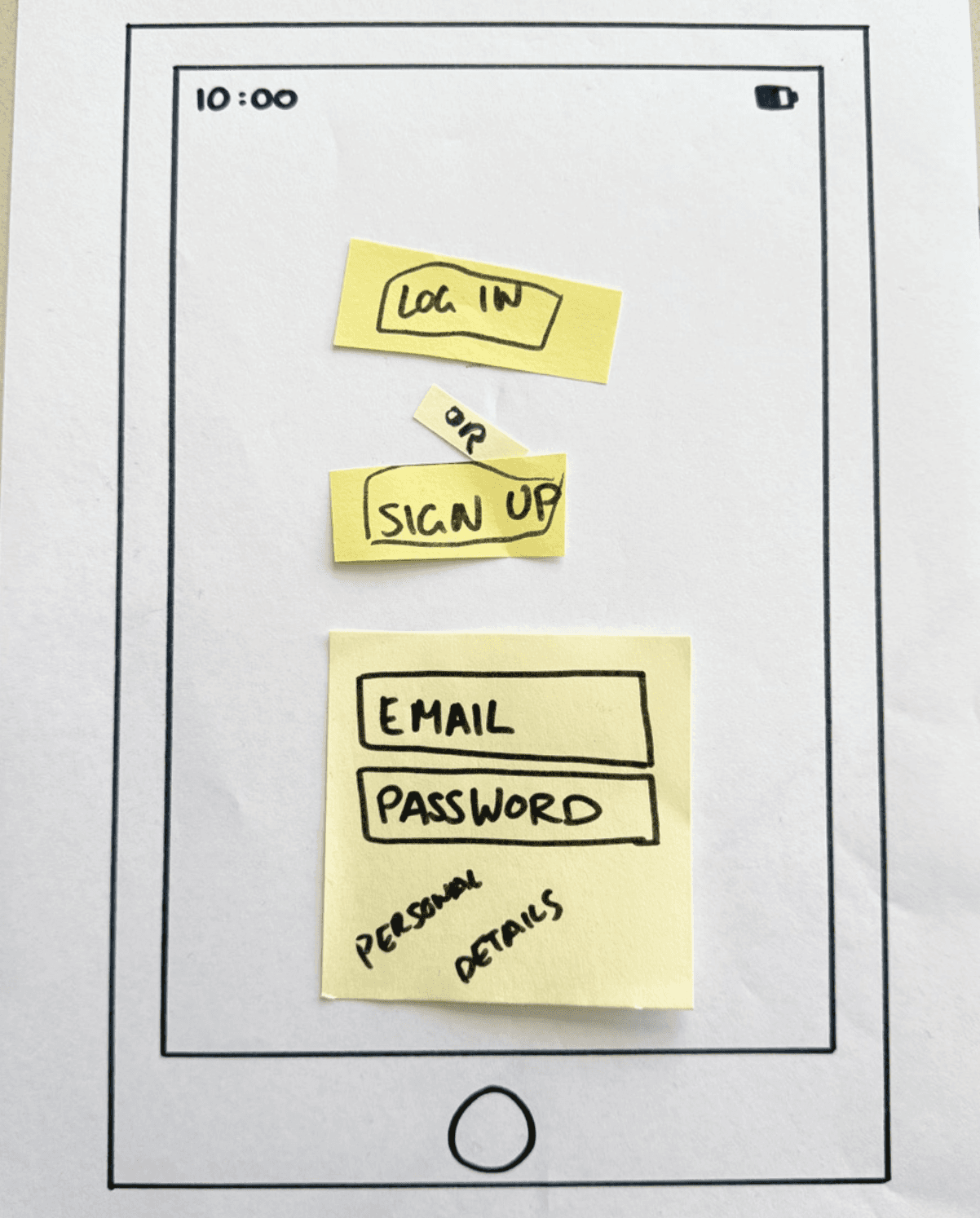
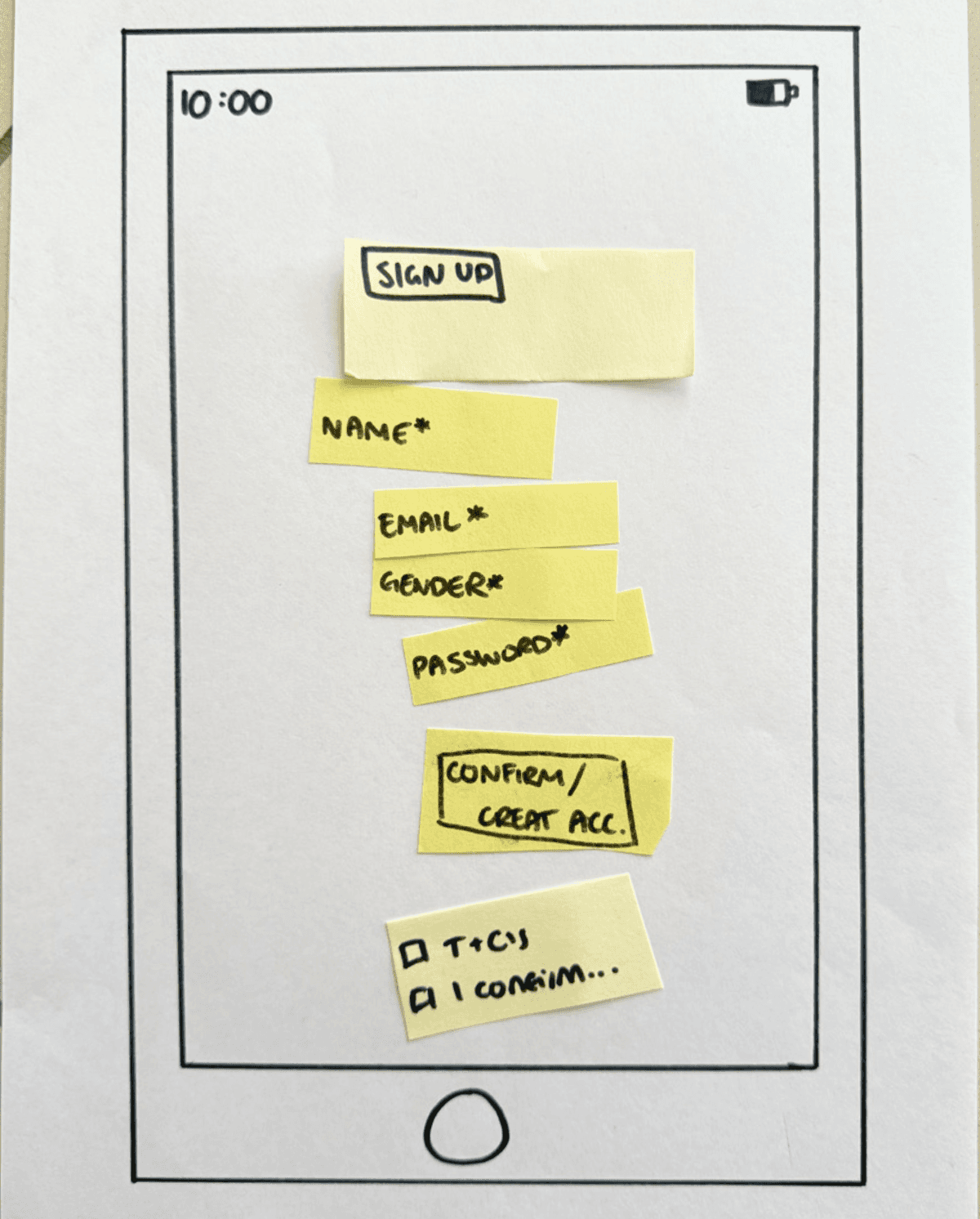
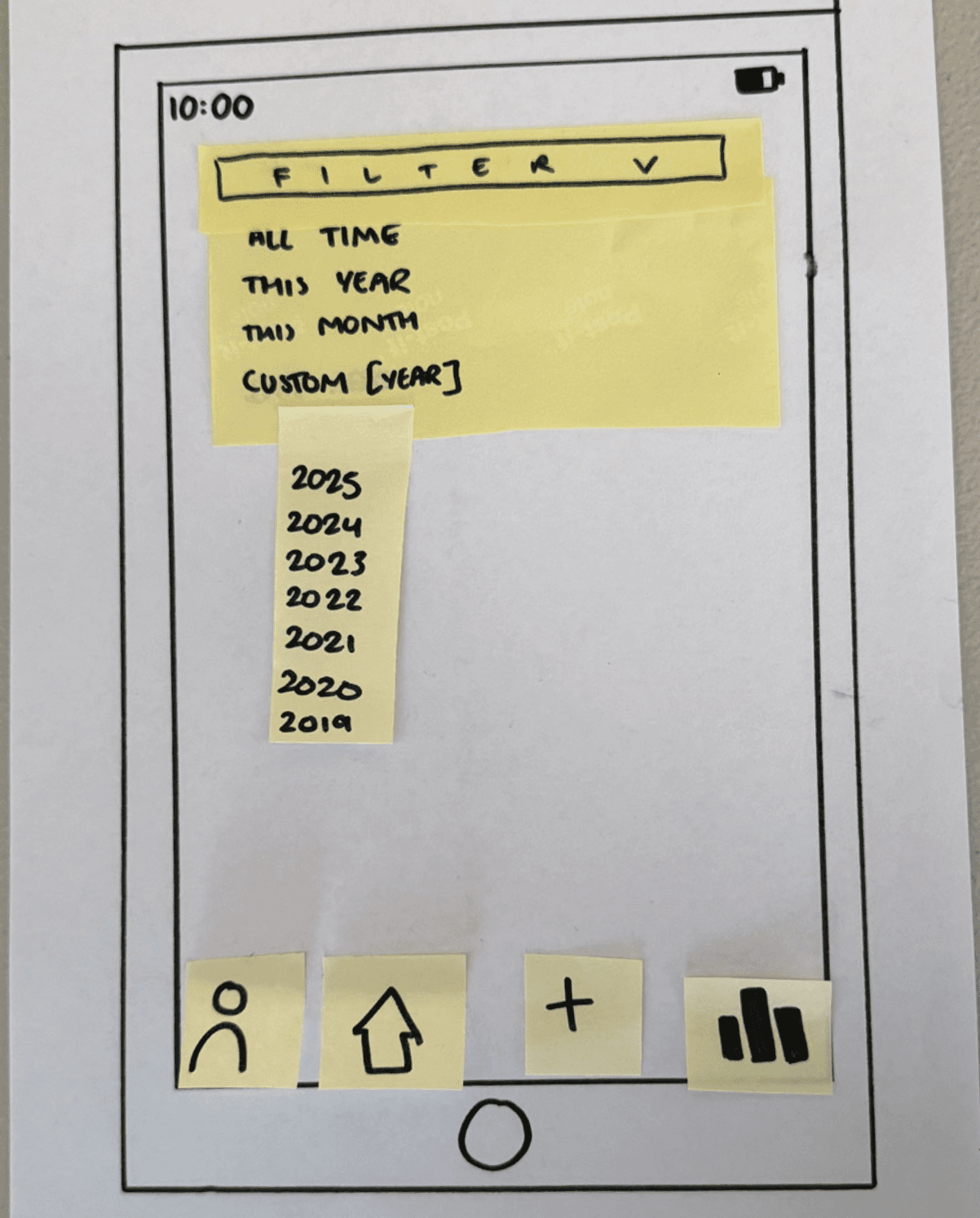
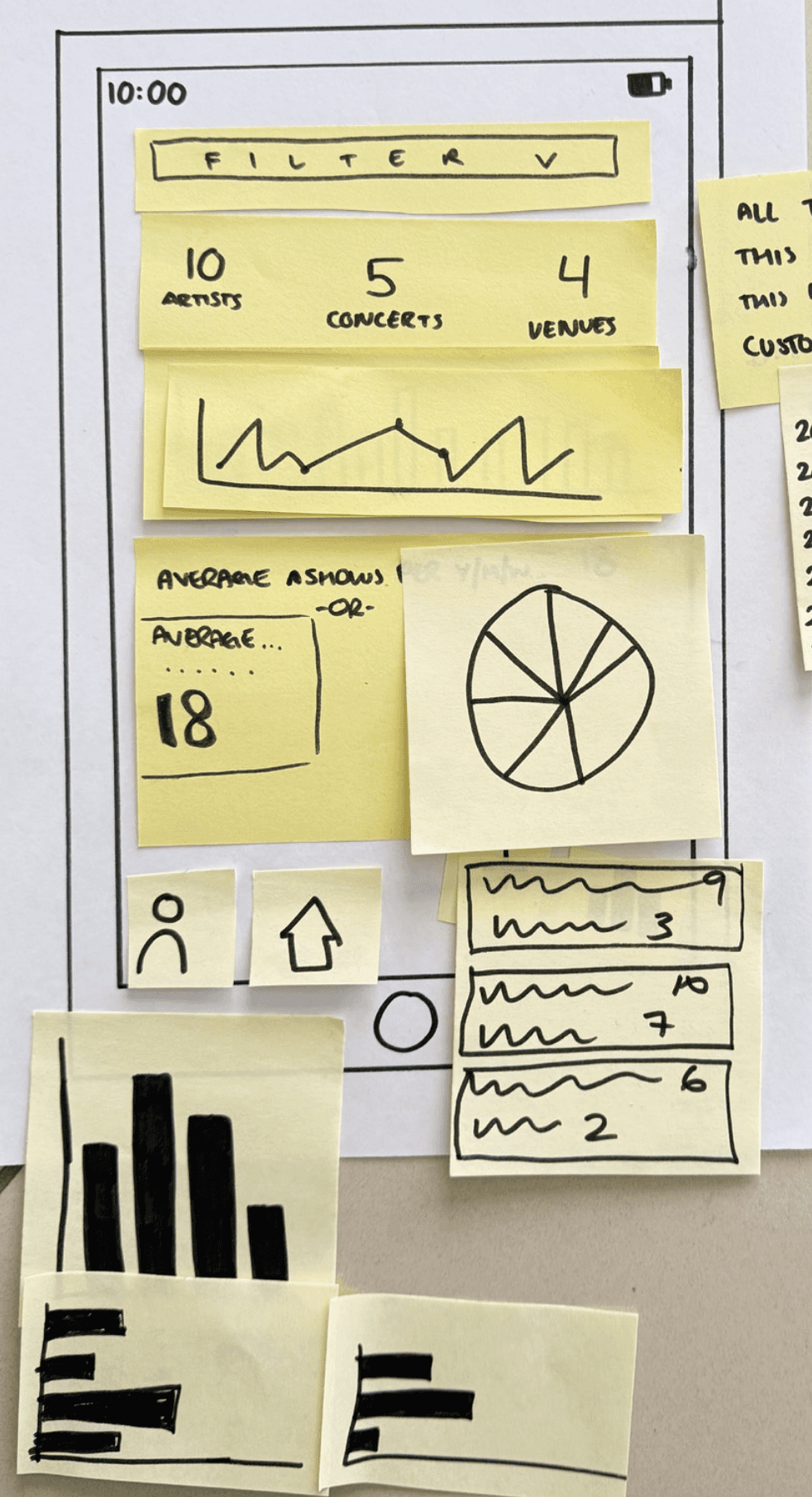
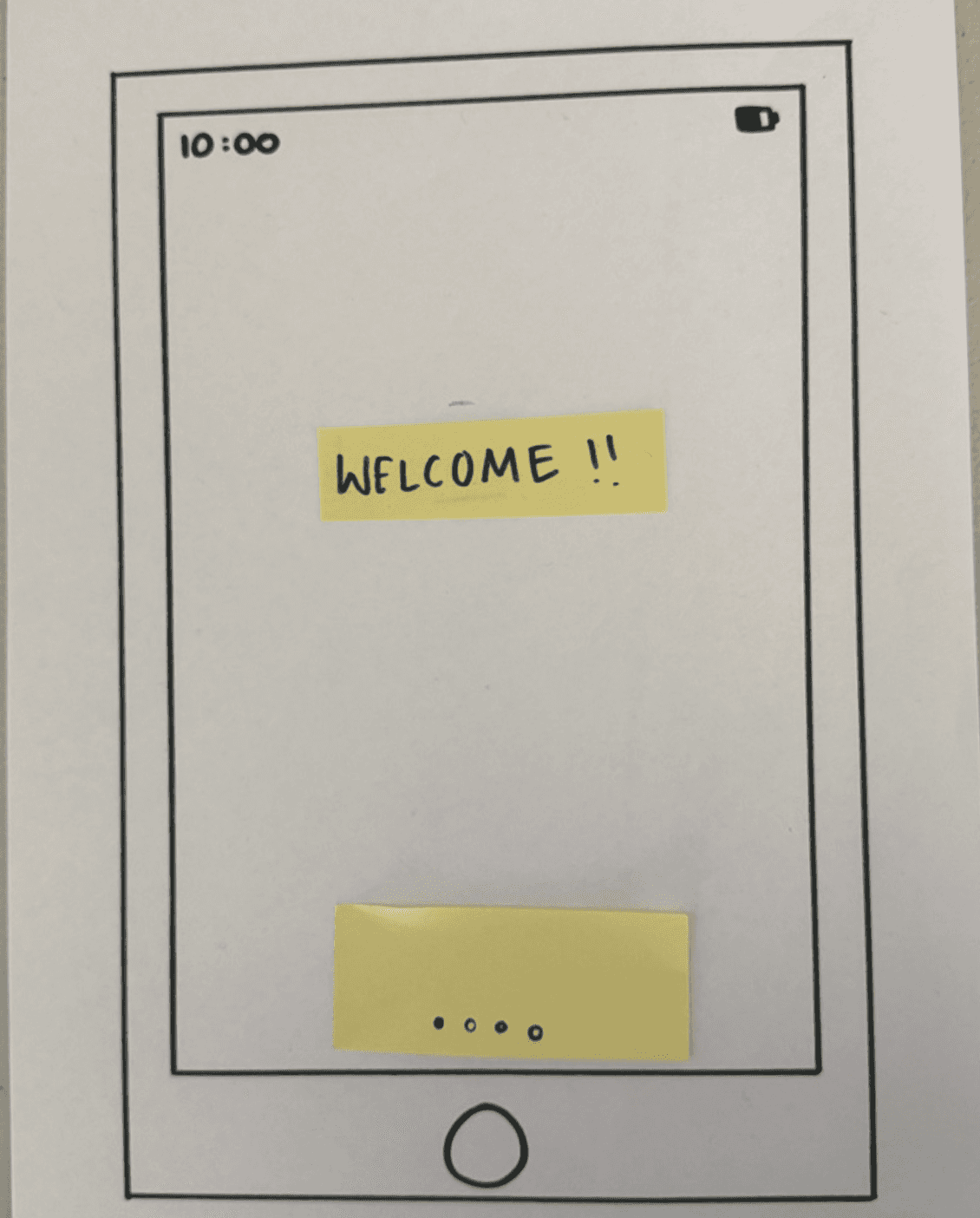
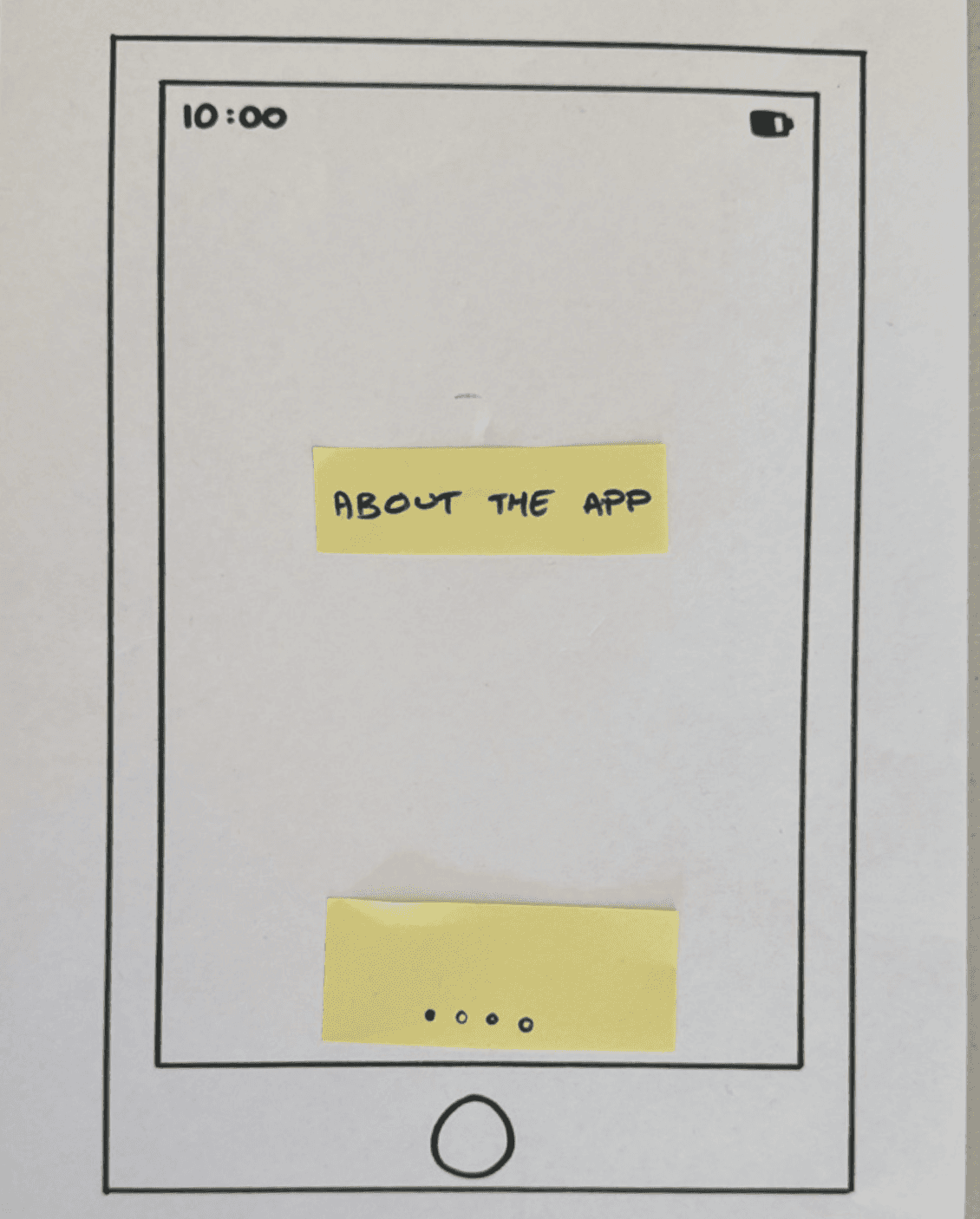
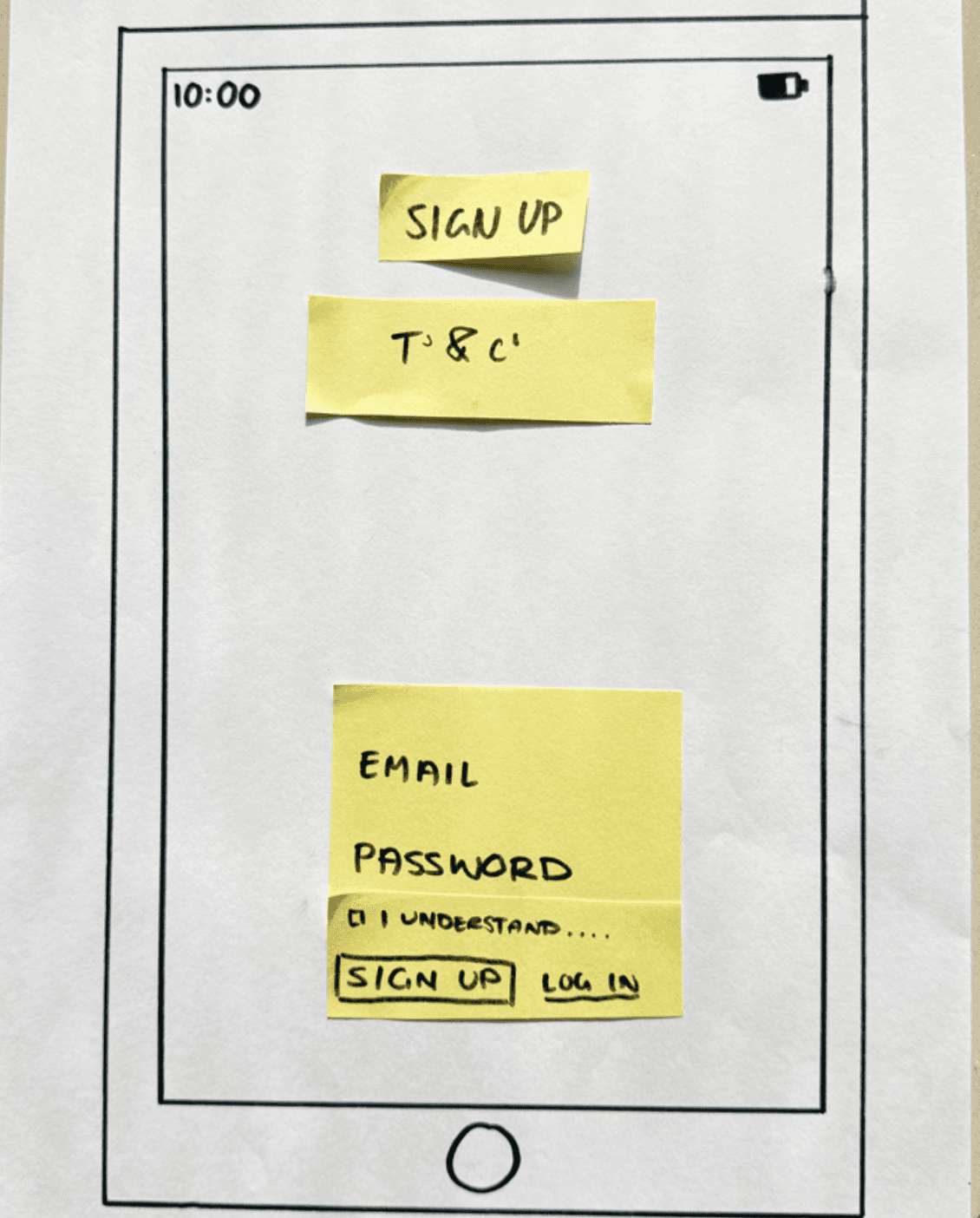
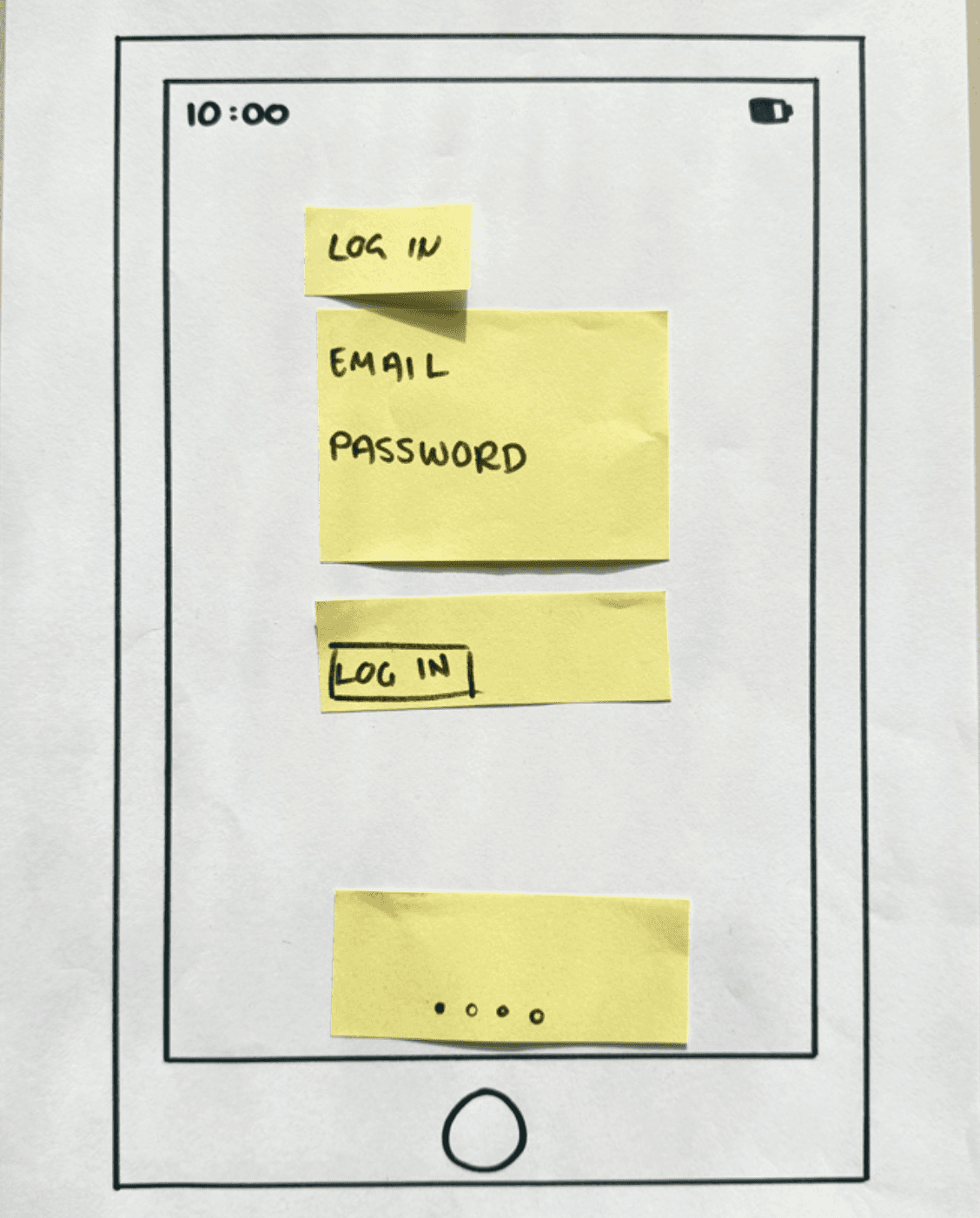
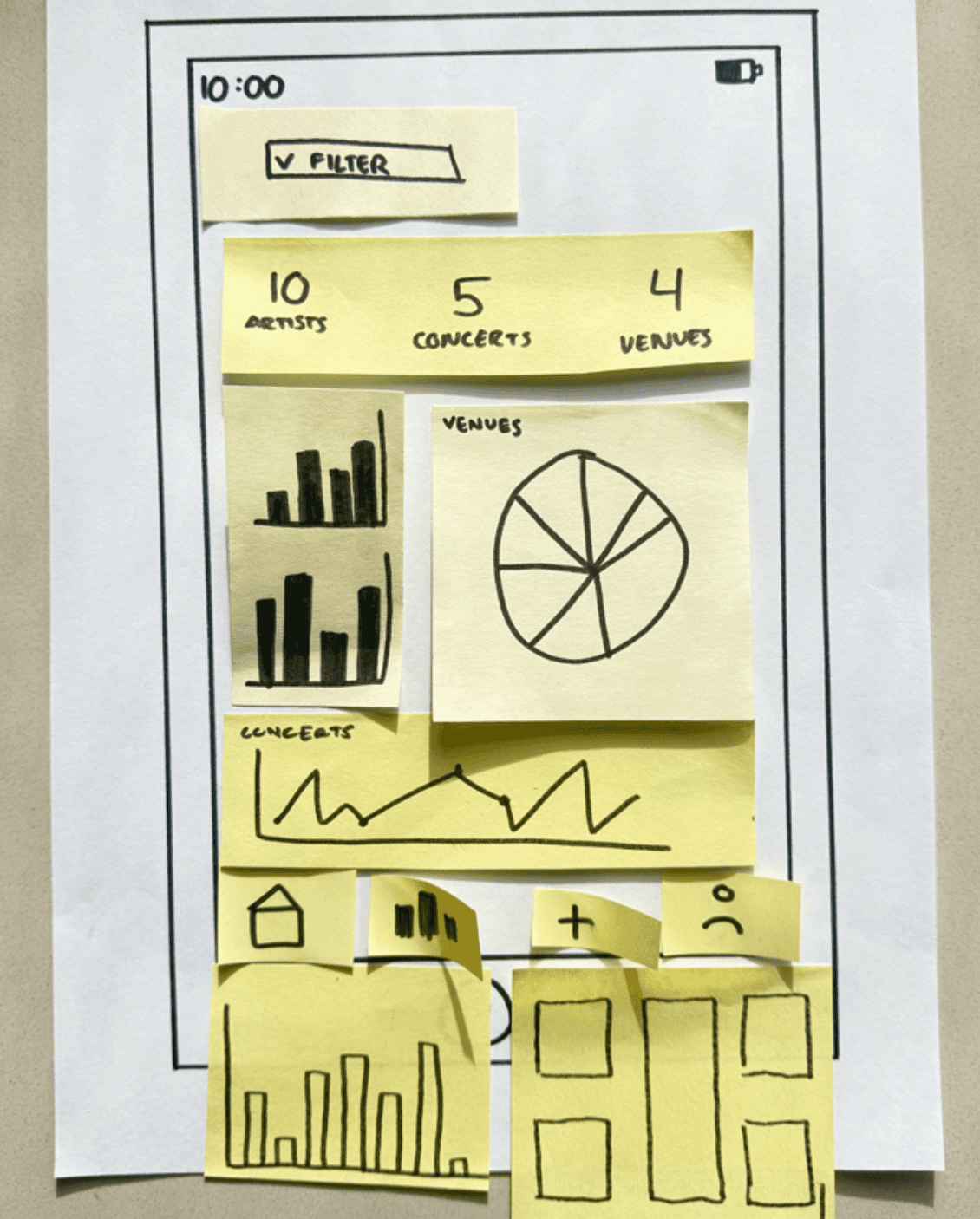
Paper prototyping sessions were carried out with each participant, using sticky notes and paper to create paper wireframes across two key screens outlined in the project brief - user onboarding and the statistical dashboard. Codesign sessions were recorded with participant consent and were later transcribed.
Paper prototyping sessions were carried out with each participant, using sticky notes and paper to create paper wireframes across two key screens outlined in the project brief - user onboarding and the statistical dashboard. Codesign sessions were recorded with participant consent and were later transcribed.
Participant 1
Participant 1
Participant 1
Onboarding
Onboarding
Onboarding
Log in/Sign up
Log in/Sign up
Log in/Sign up
Dashboard Filter
Dashboard Filter
Dashboard Filter
Statistical Dashboard
Statistical Dashboard
Statistical Dashboard
Participant 2
Participant 2
Participant 2
Welcome
Welcome
Welcome
App info
App info
App info
Sign up
Sign up
Sign up
Log in
Log in
Log in
Statistical Dashboard
Statistical Dashboard
Statistical Dashboard
Participant 3
Participant 3
Participant 3
Onboarding
Onboarding
Onboarding
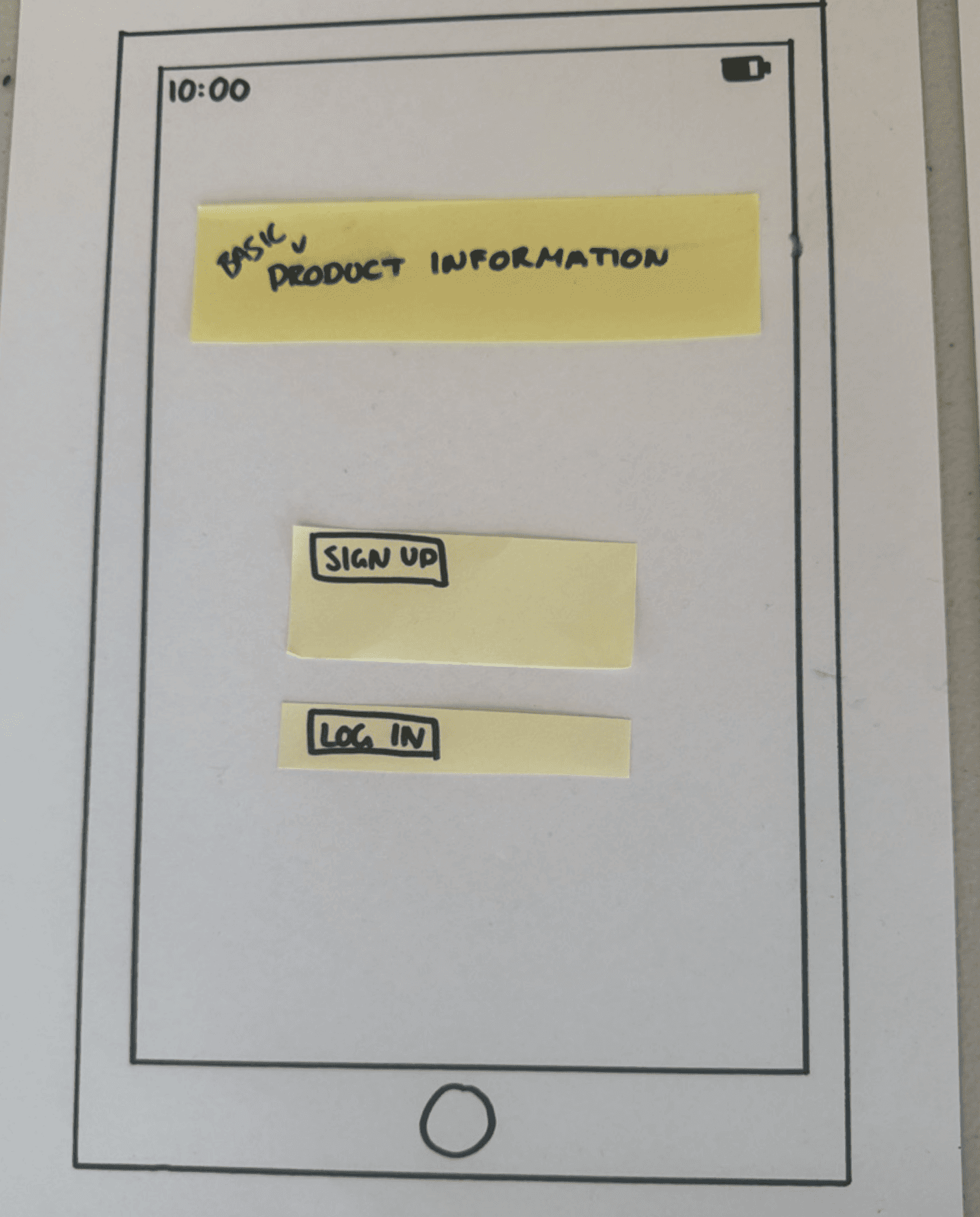
Sign up/Log in
Sign up/Log in
Sign up/Log in
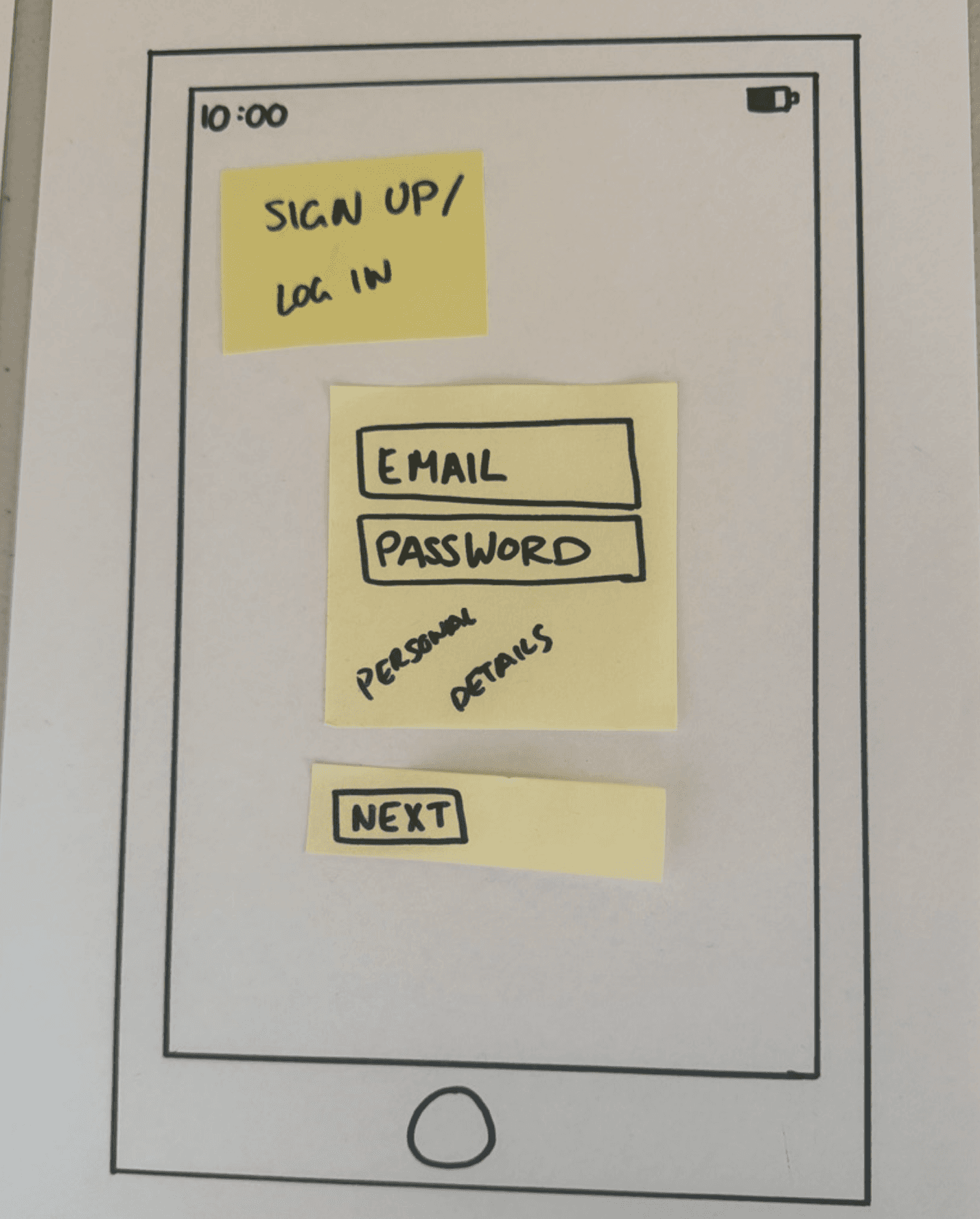
Dashboard Filter
Dashboard Filter
Dashboard Filter
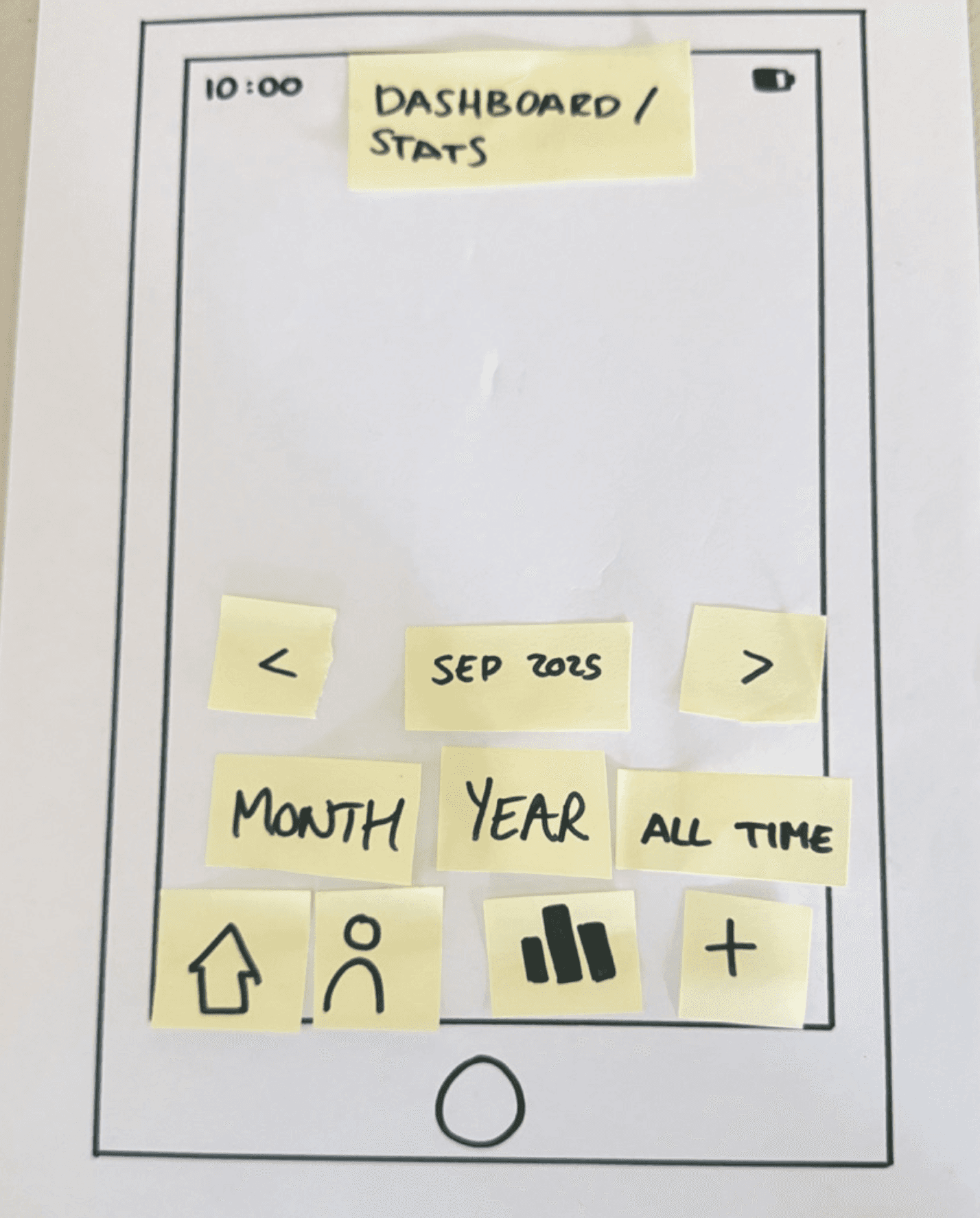
Statistical Dashboard
Statistical Dashboard
Statistical Dashboard
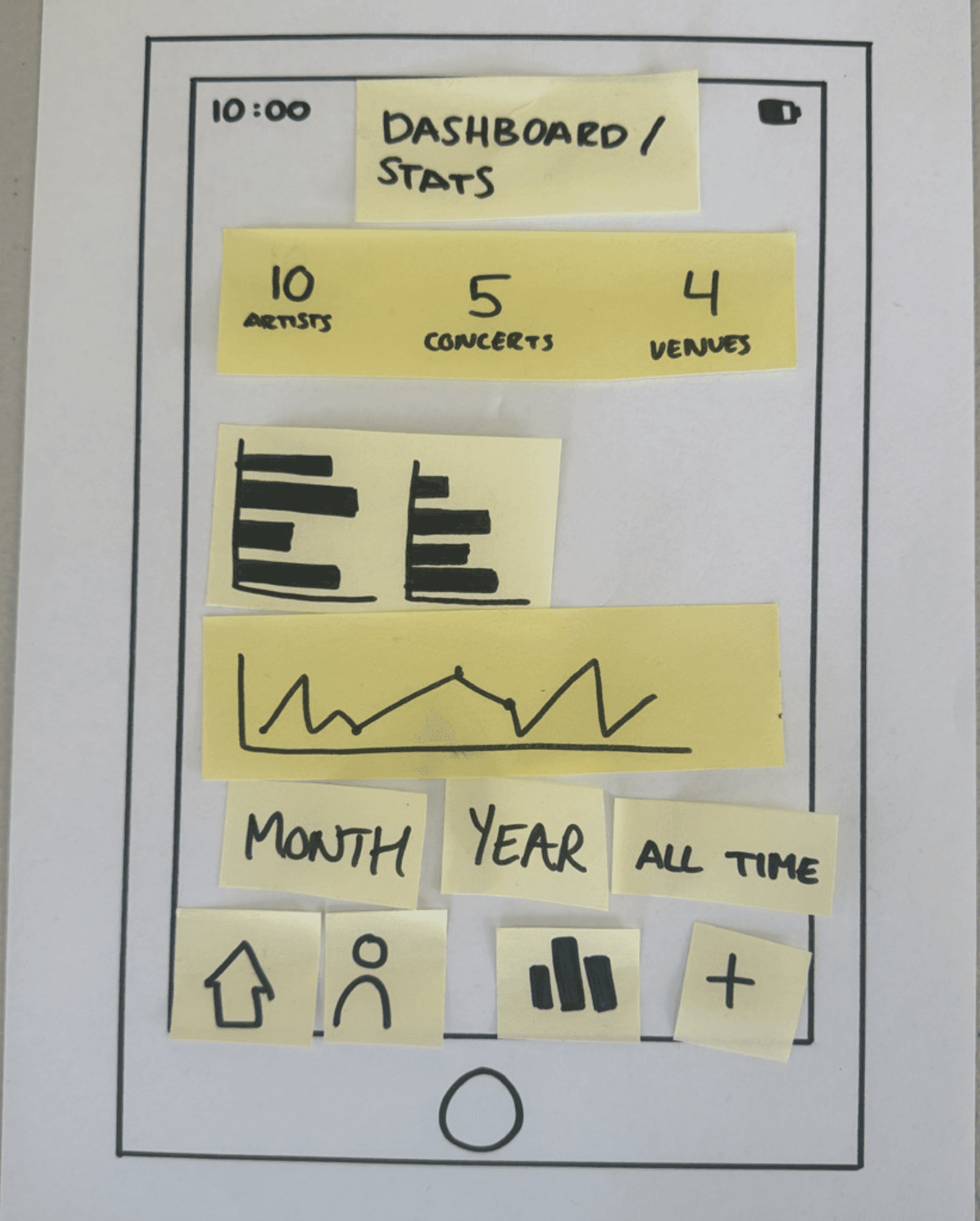
Key Findings and Solutions
Key Findings and Solutions
Key Findings and Solutions
Transcribing the three codesign sessions allowed me to review participants' dialogue to better understand their design needs and suggest relevant solutions to each of these. This was imperative to my project as it was the last step in user research before developing my prototype and provided me with guidance in doing so.
Transcribing the three codesign sessions allowed me to review participants' dialogue to better understand their design needs and suggest relevant solutions to each of these. This was imperative to my project as it was the last step in user research before developing my prototype and provided me with guidance in doing so.
Key findings and solutions
Key findings and solutions
Key findings and solutions
Presenting onboarding and welcome information across multiple screens presents information to users in a more digestible way.
Presenting onboarding and welcome information across multiple screens presents information to users in a more digestible way.
Navigation should be located along the bottom of the screen, with the icon of the selected page being more prominent.
Navigation should be located along the bottom of the screen, with the icon of the selected page being more prominent.
Simple visual statistics such as tallies are more valued by most users and should therefore be placed at the beginning of the statistical dashboard.
Simple visual statistics such as tallies are more valued by most users and should therefore be placed at the beginning of the statistical dashboard.
Graph types should be chosen intuitively to suit the data being shown. They should be easy to read and interactive.
Making the dashboard fully customisable by allowing users to show or hide particular graphs and charts will allow for maximum control over a user’s dashboard.
Multiple participants expressed the desire for a social element to the app. Including information about social features in onboarding will increase user interest.
Graph types should be chosen intuitively to suit the data being shown. They should be easy to read and interactive.
Making the dashboard fully customisable by allowing users to show or hide particular graphs and charts will allow for maximum control over a user’s dashboard.
Making the dashboard fully customisable by allowing users to show or hide particular graphs and charts will allow for maximum control over a user’s dashboard.
Multiple participants expressed the desire for a social element to the app. Including information about social features in onboarding will increase user interest.
Multiple participants expressed the desire for a social element to the app. Including information about social features in onboarding will increase user interest.
Designing Live.fm
Designing Live.fm
Designing Live.fm
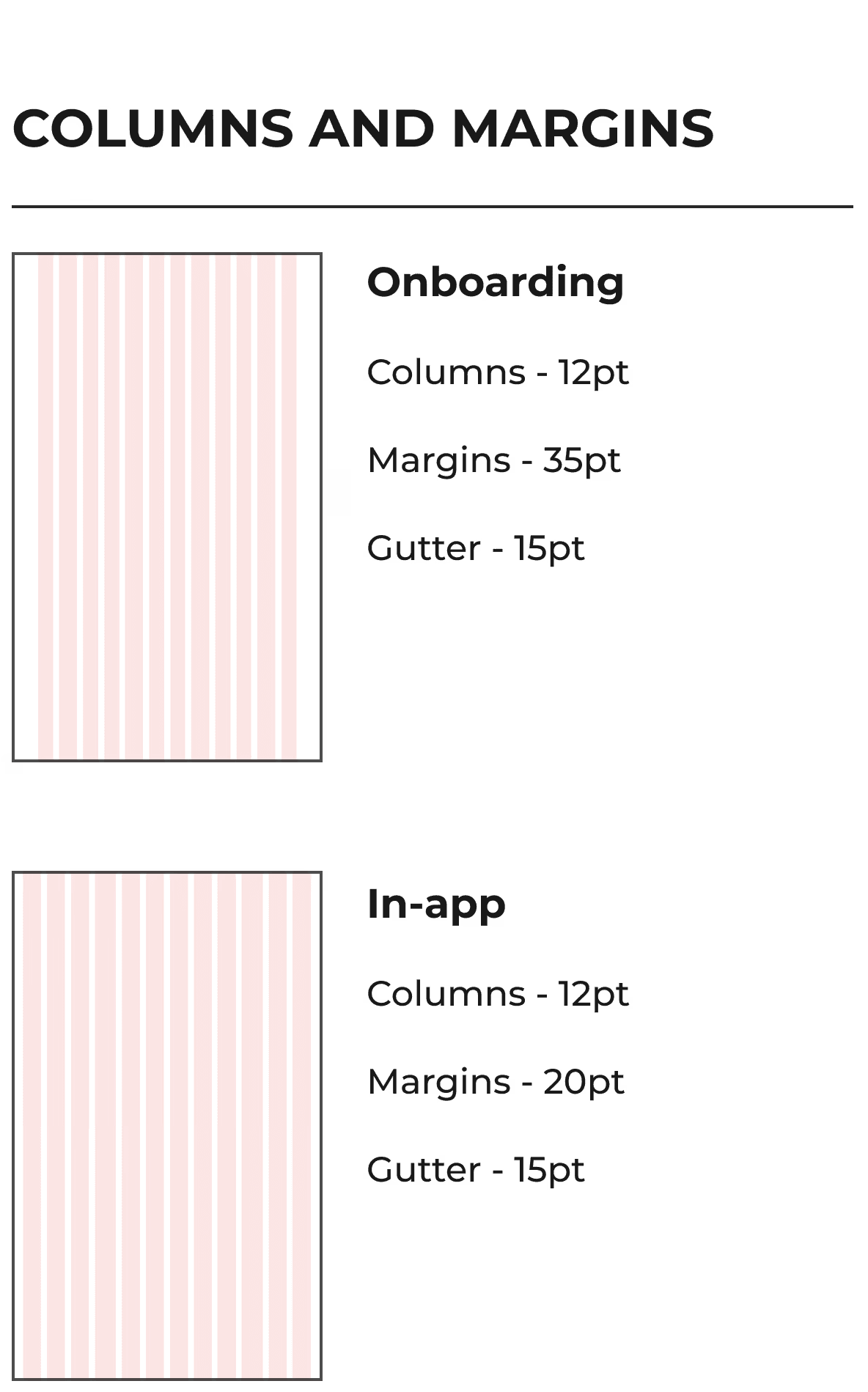
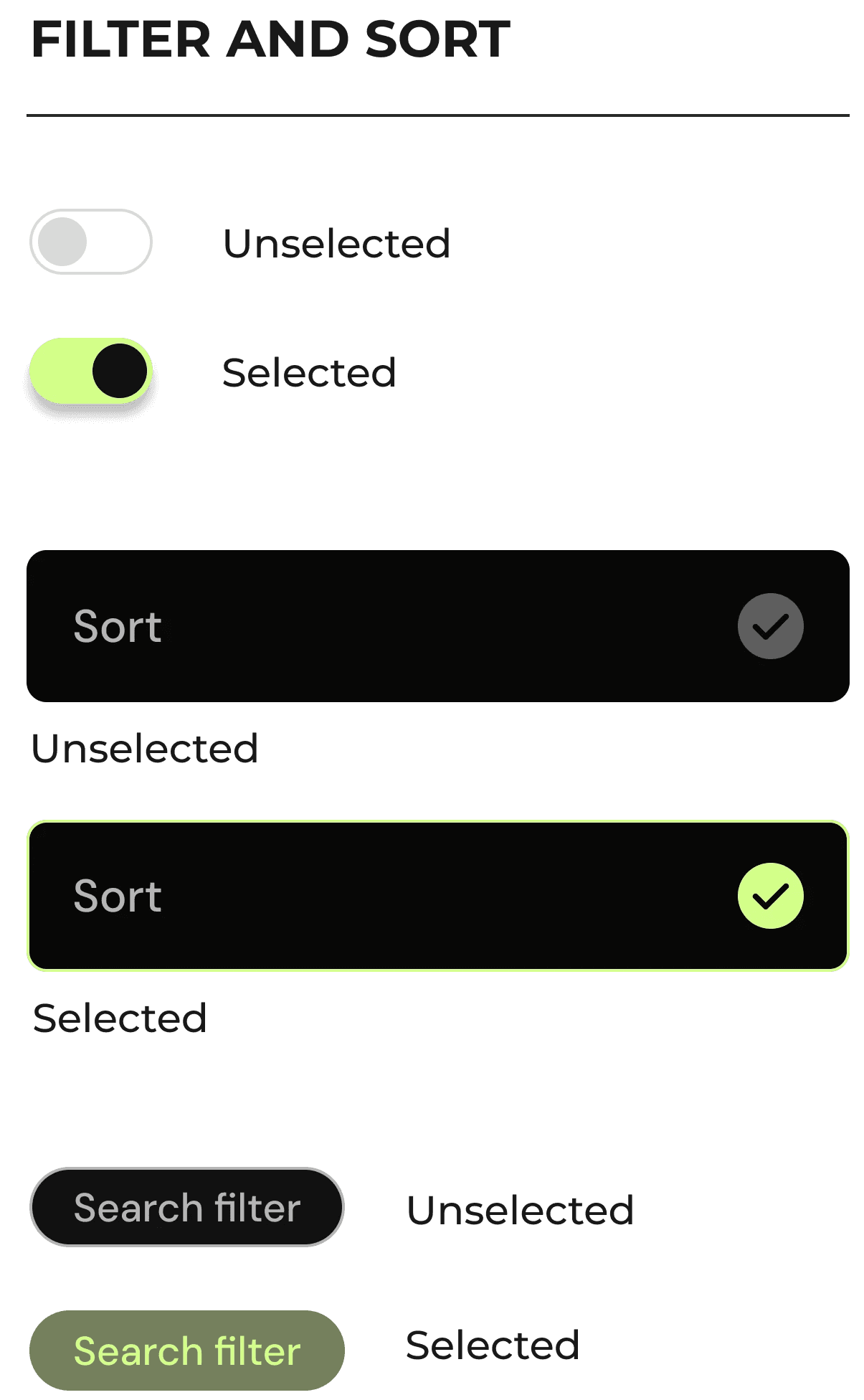
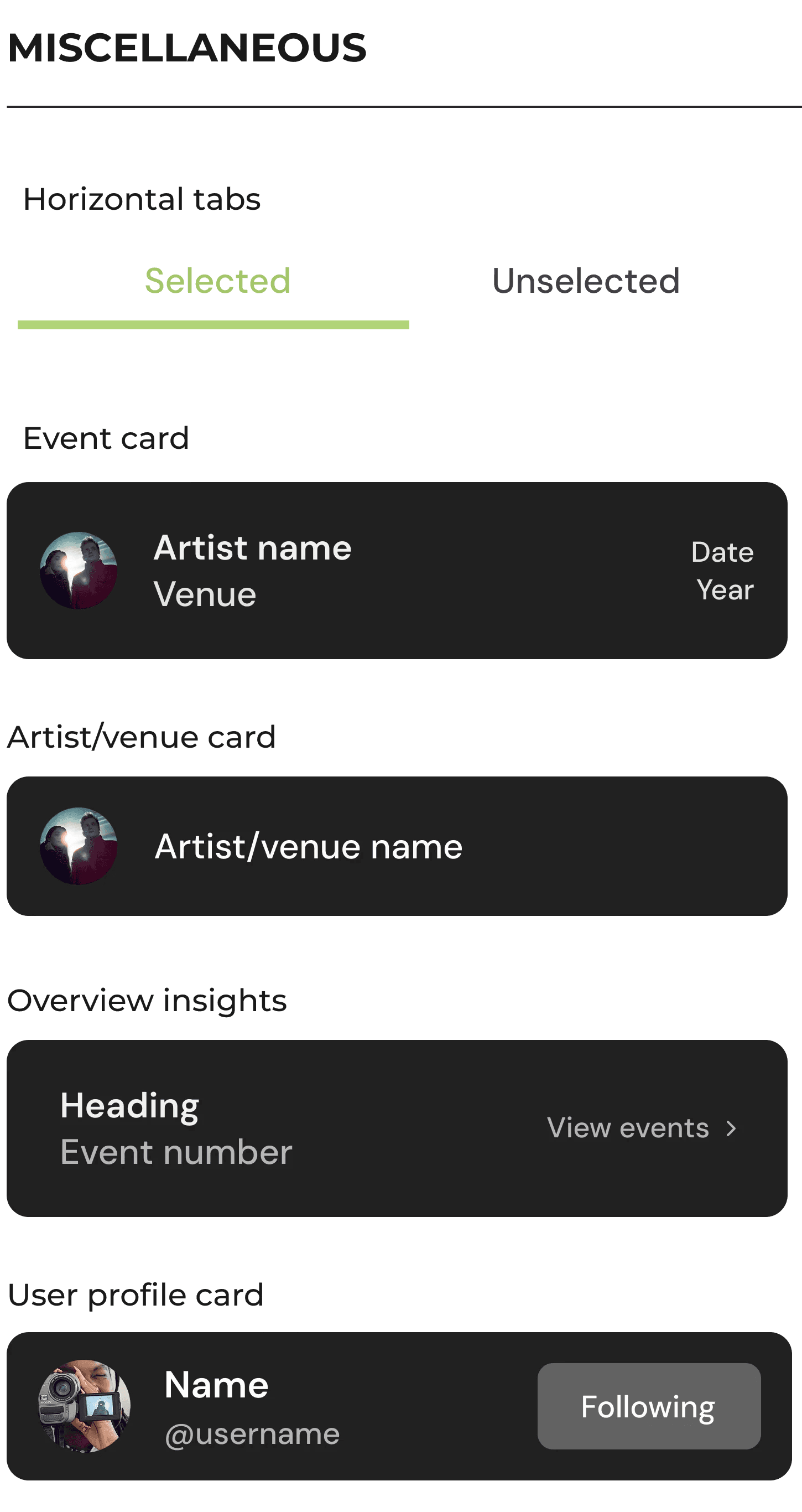
Design System
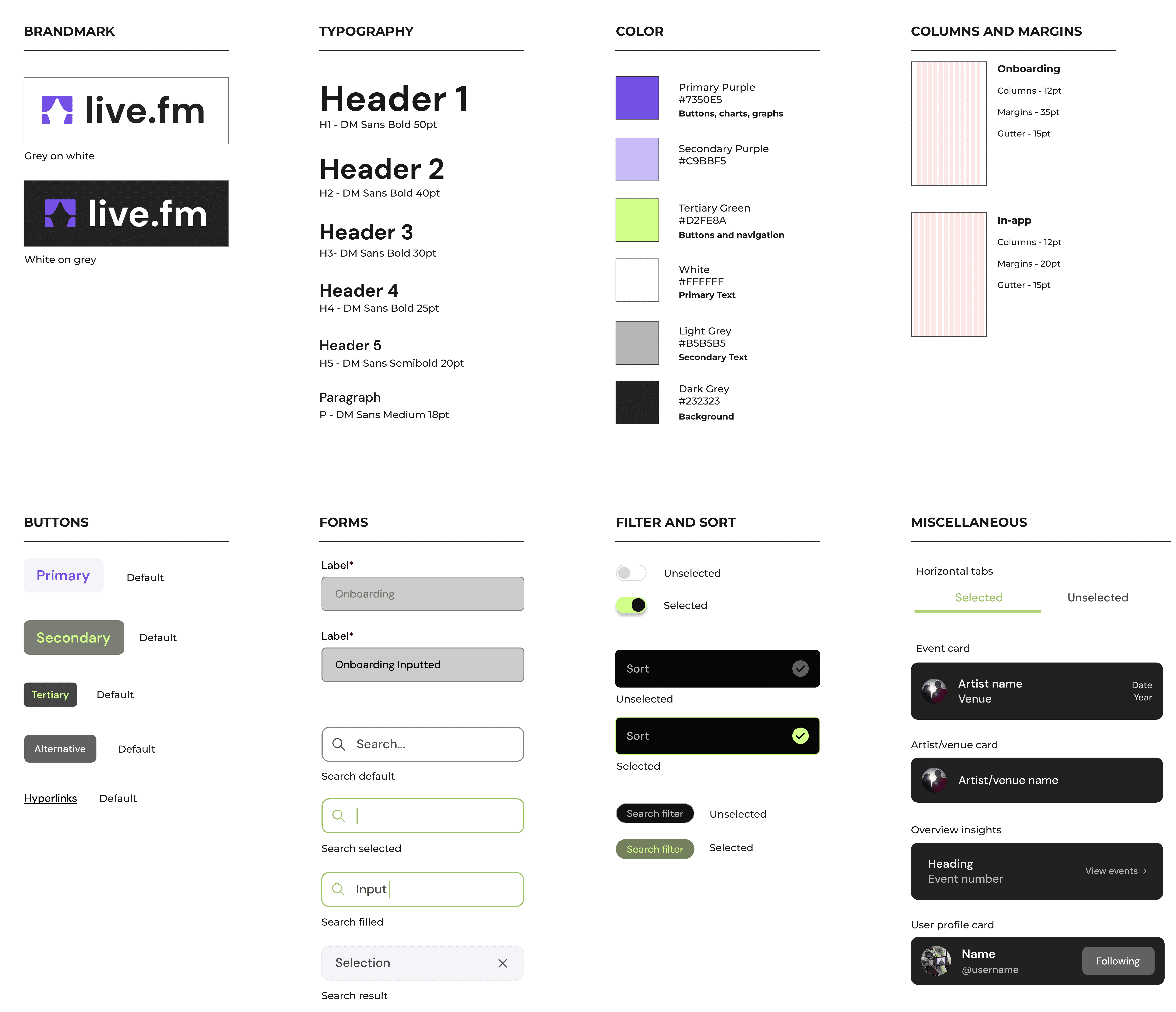
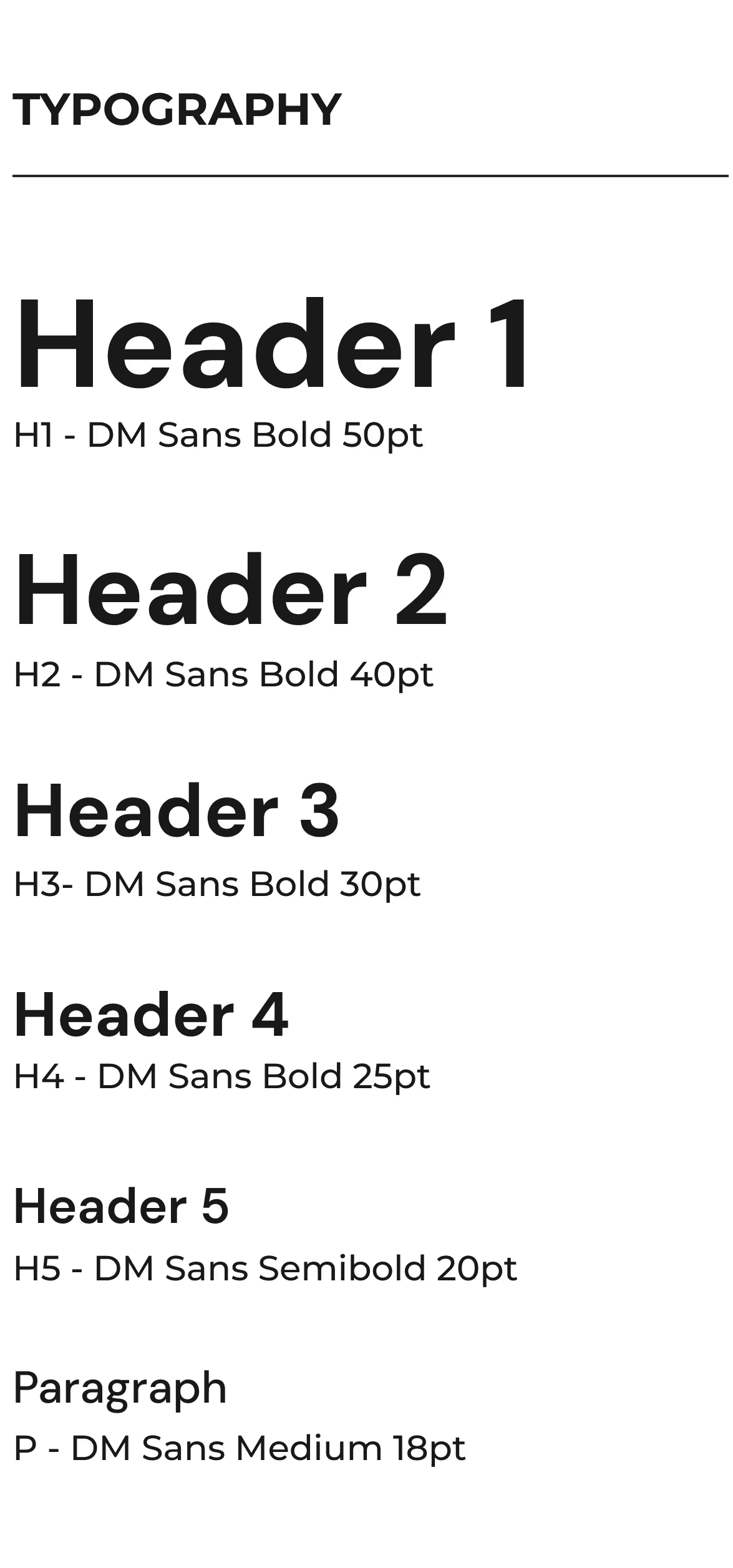
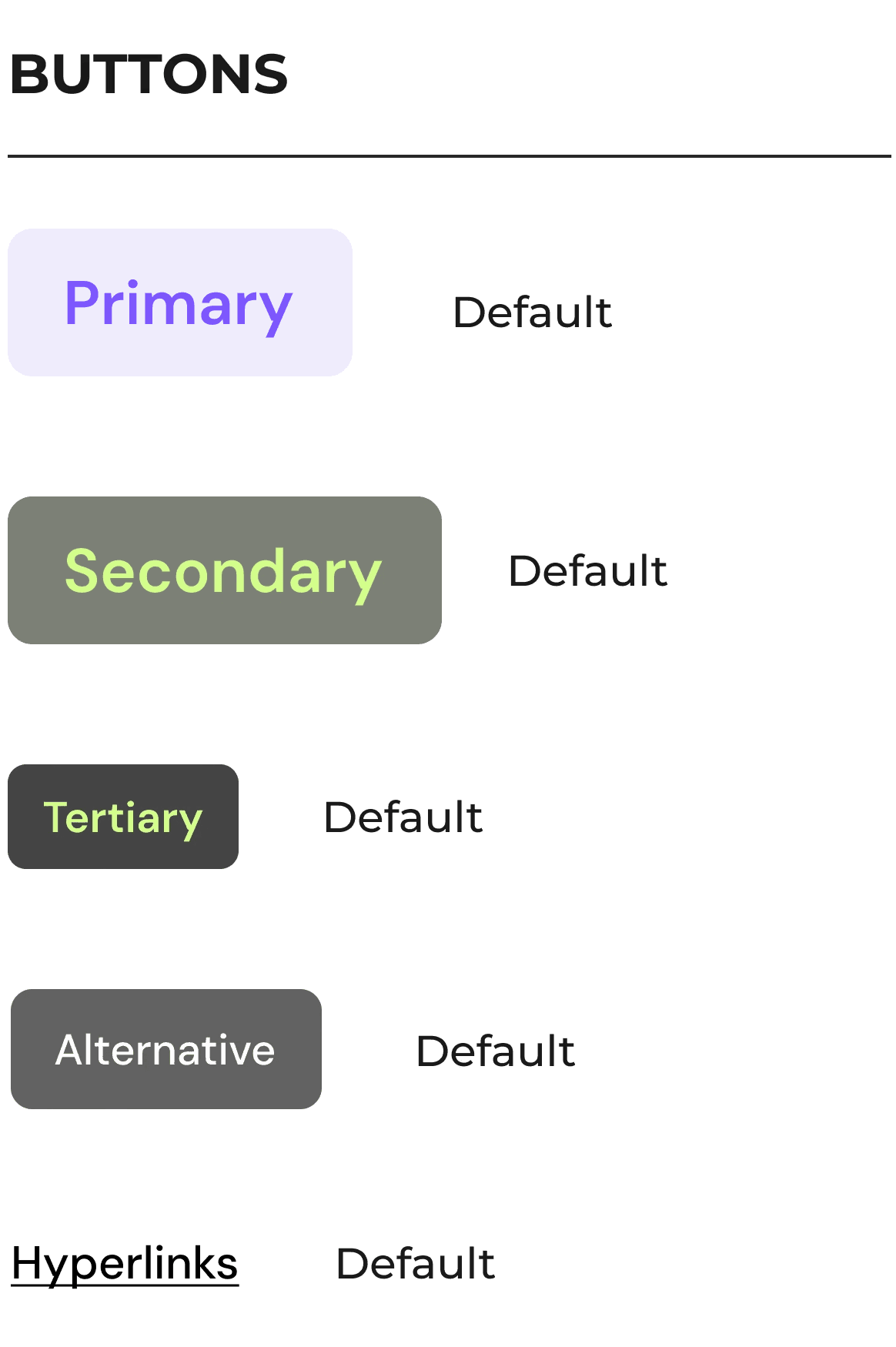
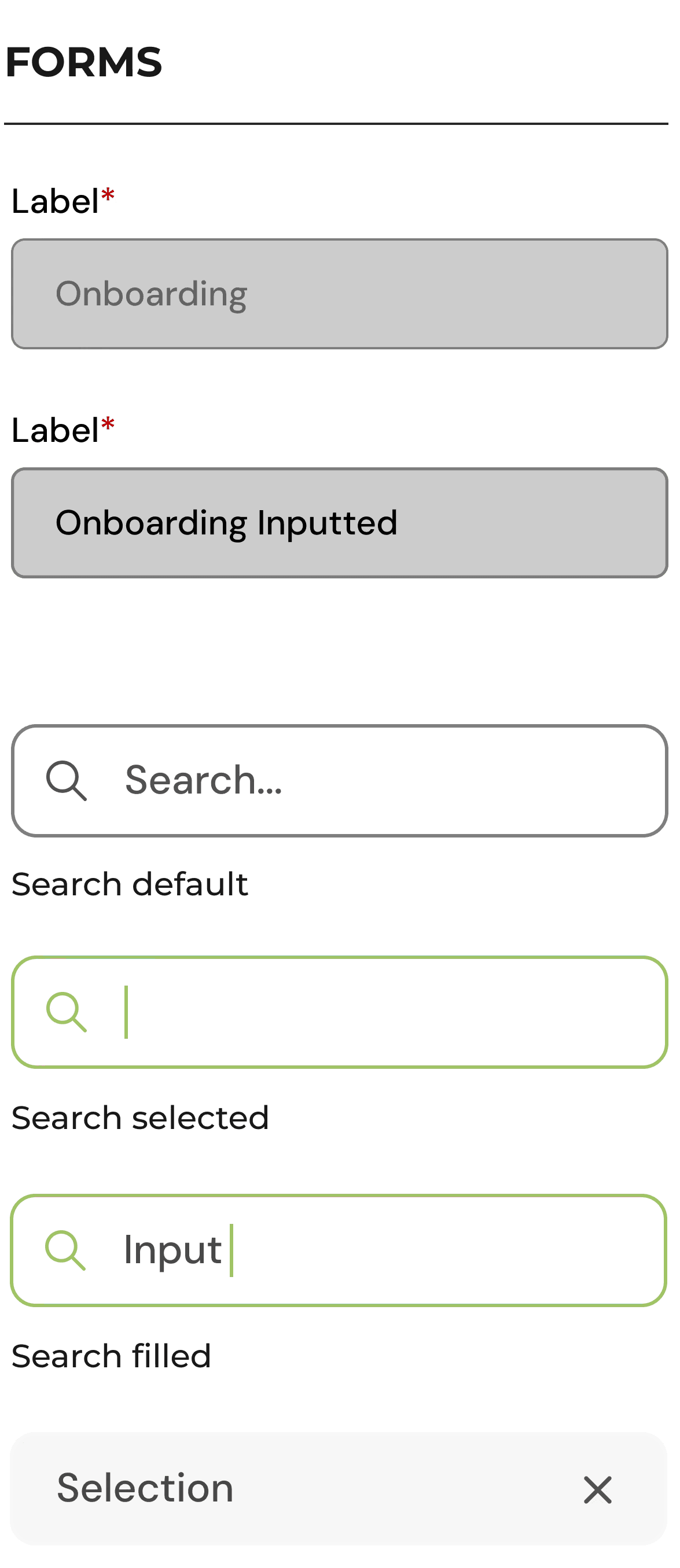
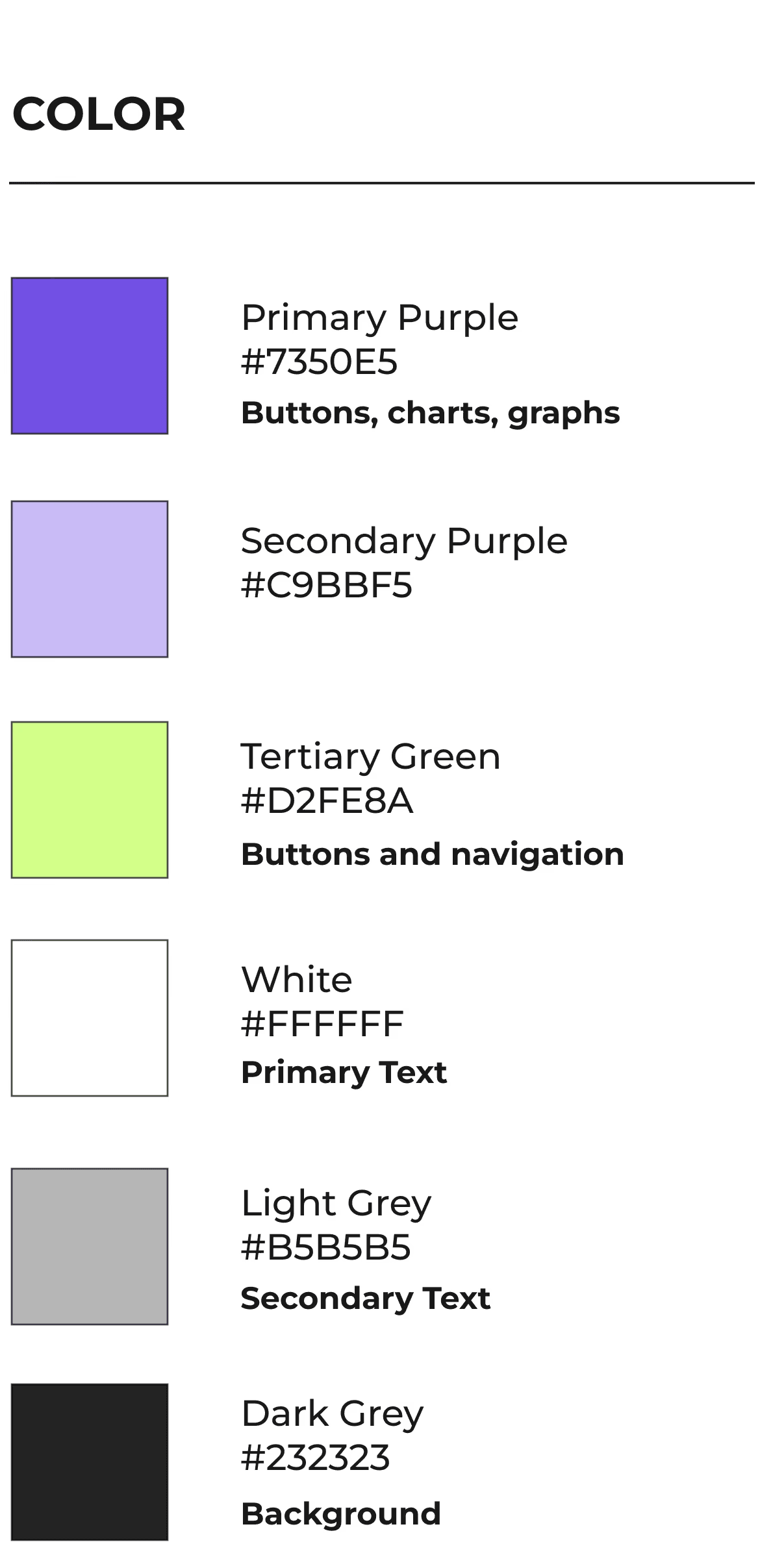
During interviews, multiple participants stated that they are much more likely to use an app if the interface is modern and visually pleasing. They stated that text should be legible, the design should be modern and the colours used should be fun.
DM Sans is used throughout the app as it is variable and simple to read. Purple and lime green are bright and fun colours, reflecting the exciting and bold nature of live music. They are also complementary, making them pleasing to look at when used together.
First Designs
First Designs
Since the project brief only required the prototype design of app onboarding, the statistical dashboard and statistic insight screens, these were the only screens designed prior to user testing.
Since the project brief only required the prototype design of app onboarding, the statistical dashboard and statistic insight screens, these were the only screens designed prior to user testing.
Welcome Screens
Welcome Screens
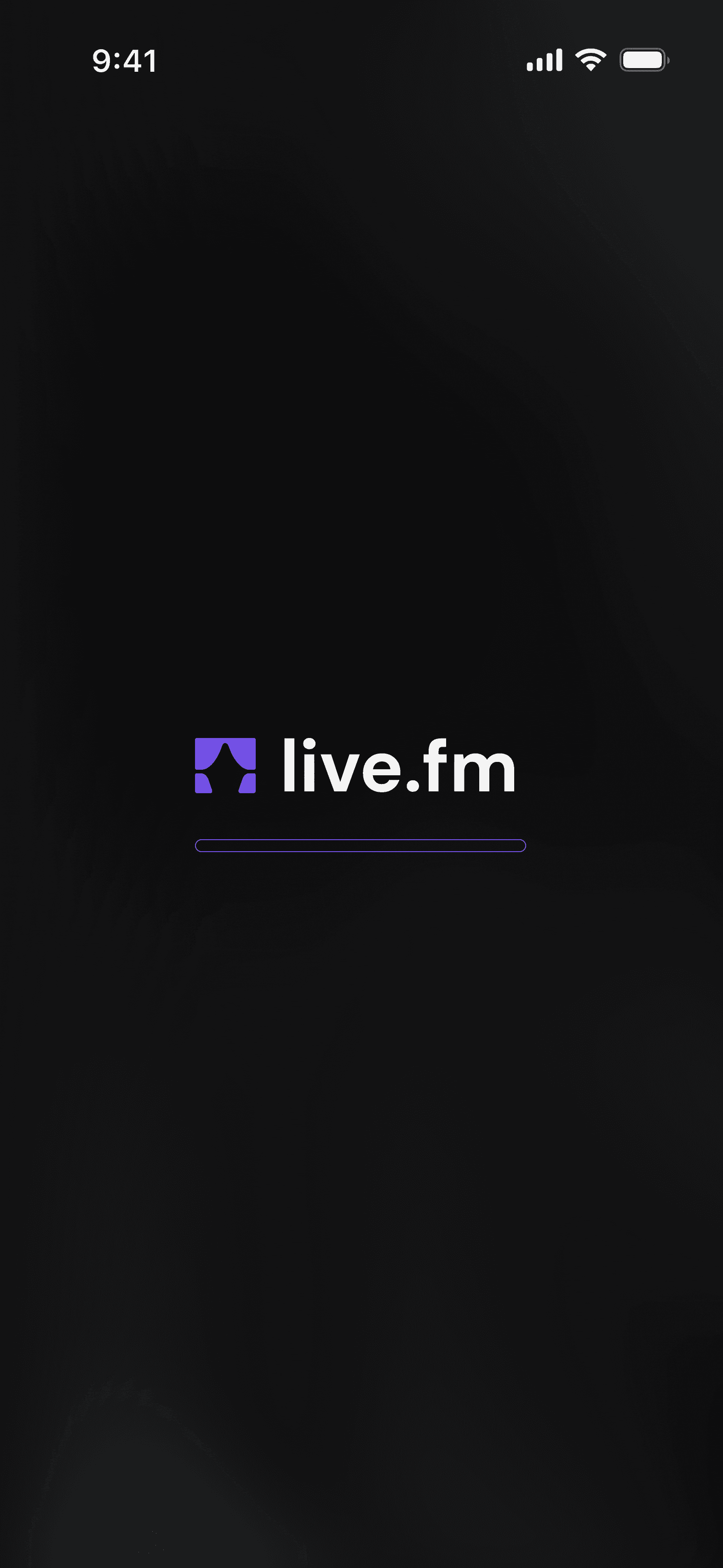
Landing screen
Landing screen
Welcome screen
Welcome screen
Slide 2
Slide 2
Slide 3
Slide 3
Slide 4
Slide 4
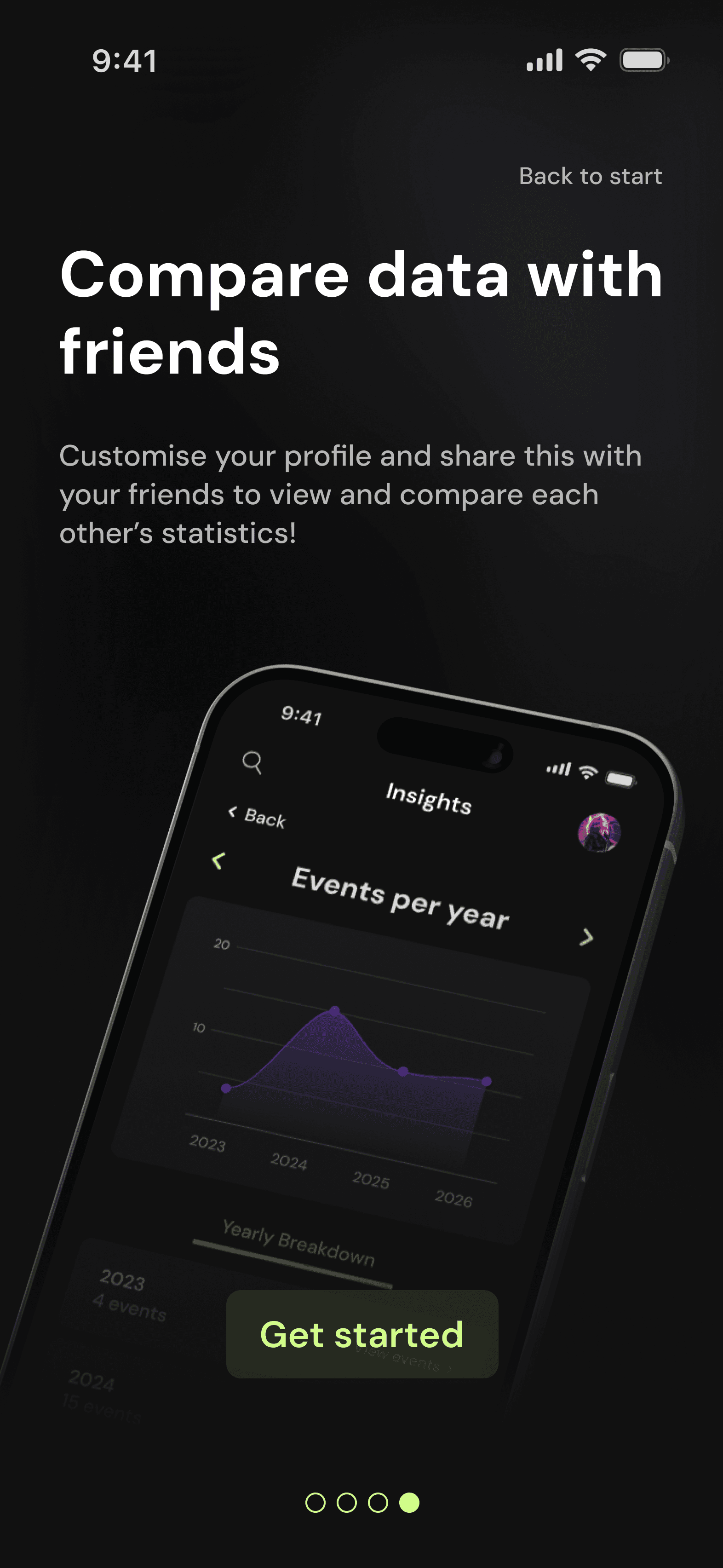
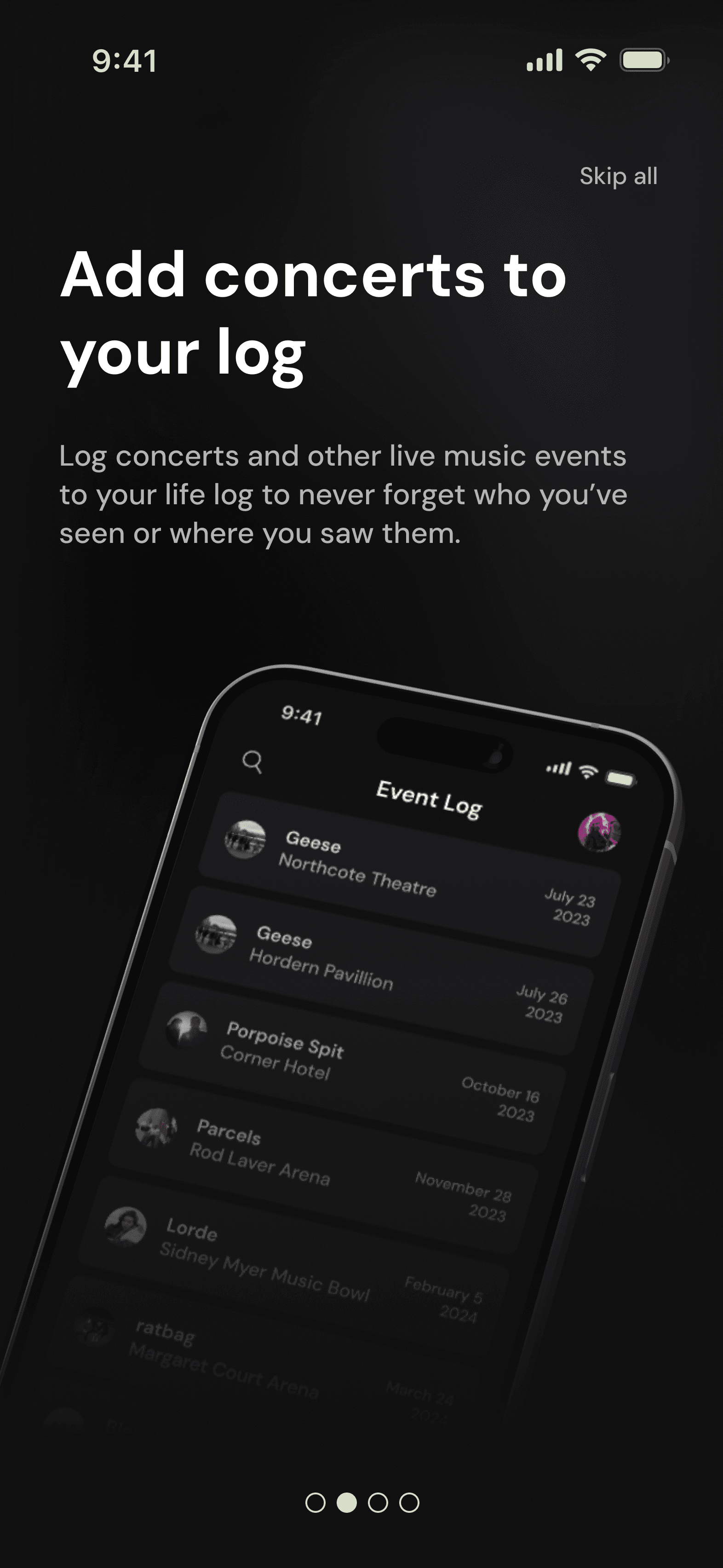
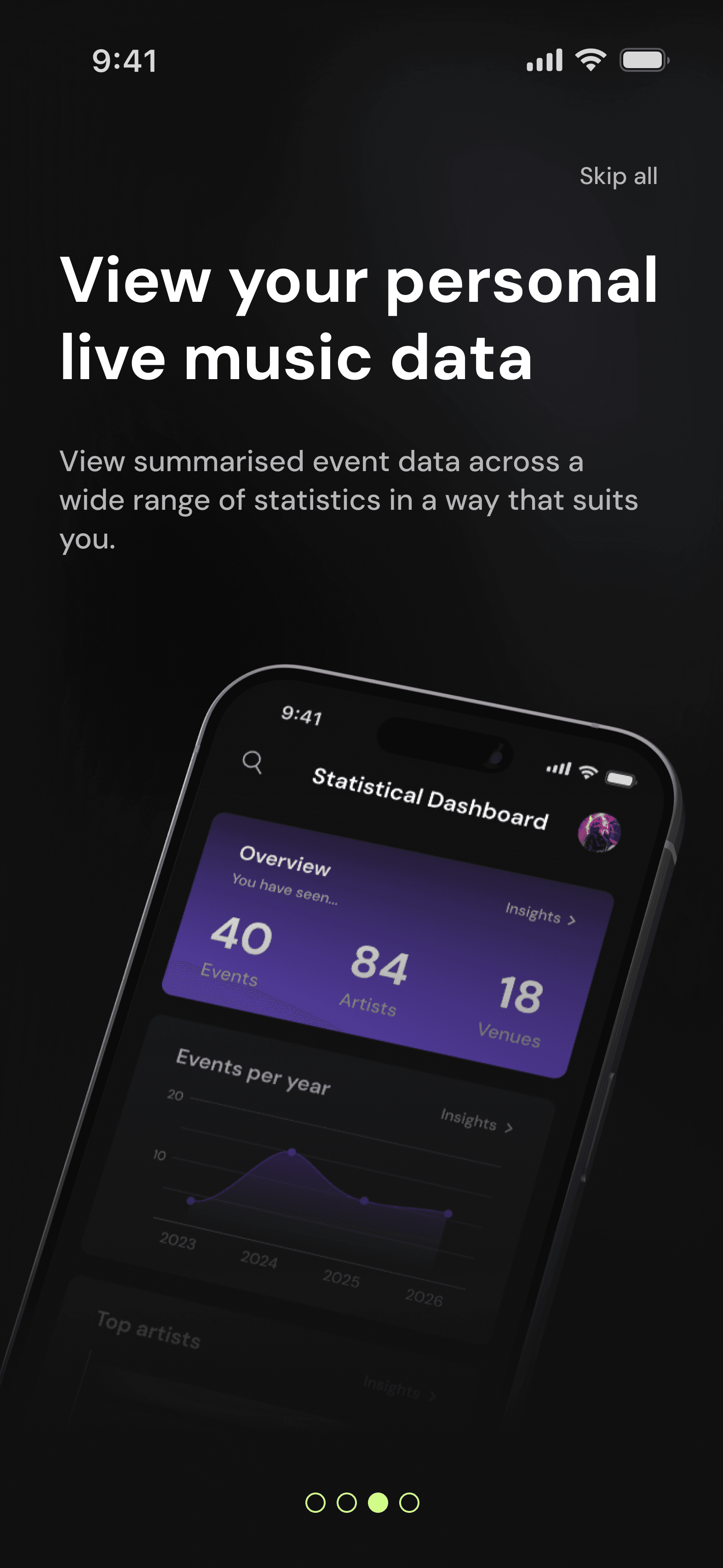
Introductory information is given to users across a series of four screens. This allows me to highlight various features of the app without overwhelming users with large amounts of information.
A progress bar at the bottom of the screen shows users what slide they are on, and they are able to either skip all slides or go back to the first slide using a button in the top right corner of the screen. On the final slide, users are prompted to 'get started' using a button that will take them to onboarding.
Introductory information is given to users across a series of four screens. This allows me to highlight various features of the app without overwhelming users with large amounts of information.
A progress bar at the bottom of the screen shows users what slide they are on, and they are able to either skip all slides or go back to the first slide using a button in the top right corner of the screen. On the final slide, users are prompted to 'get started' using a button that will take them to onboarding.
Onboarding Screens
Onboarding Screens
Log in
Log in
Create account
Create account
Verification
Verification
Password reset
Password reset
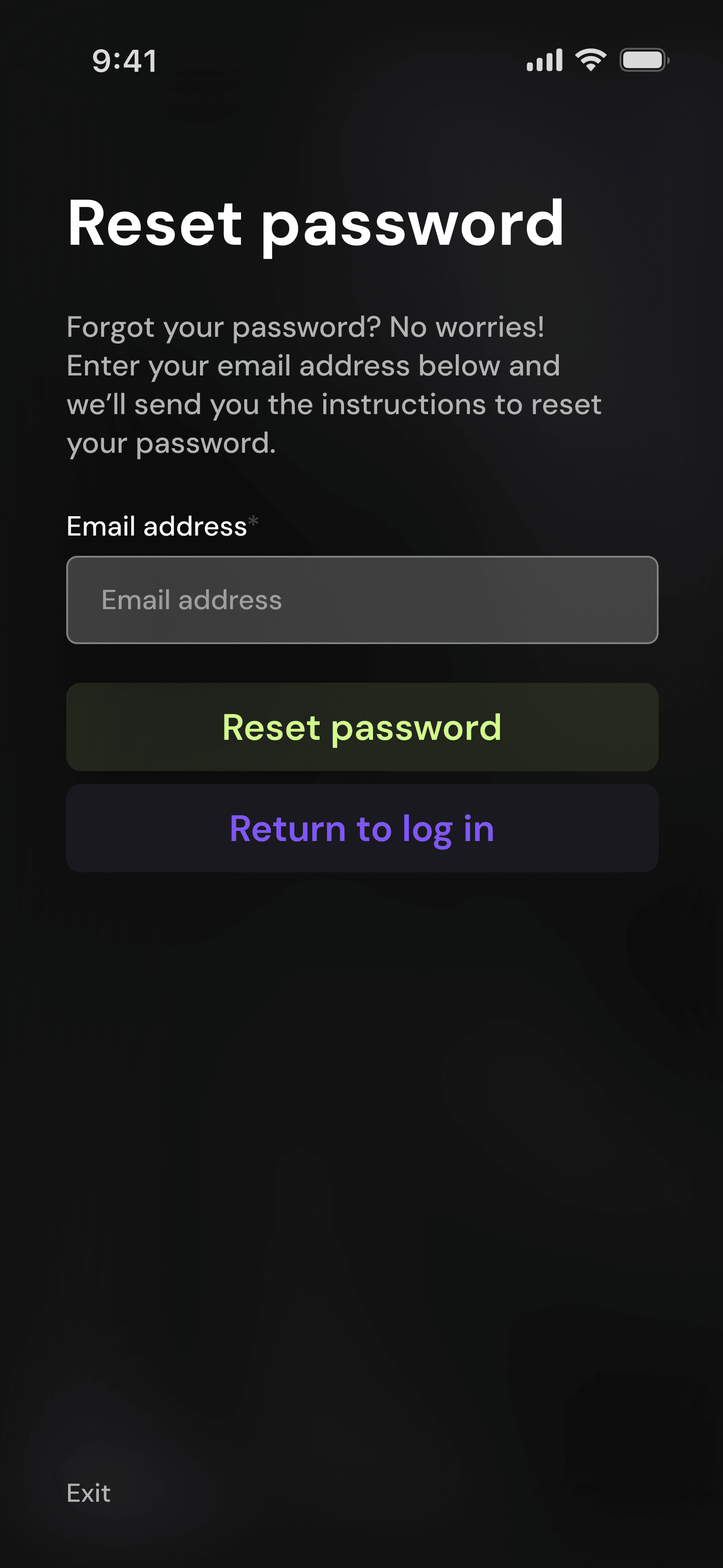
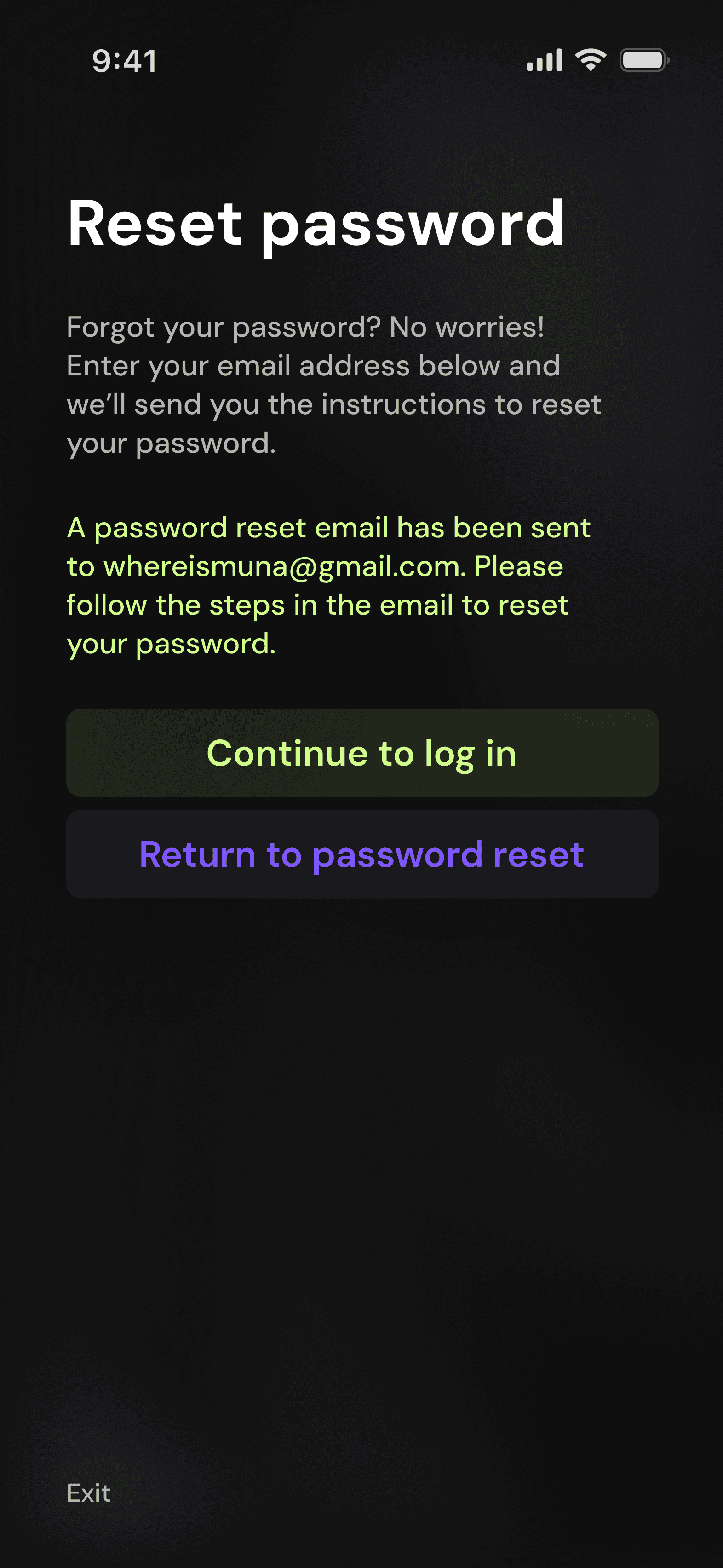
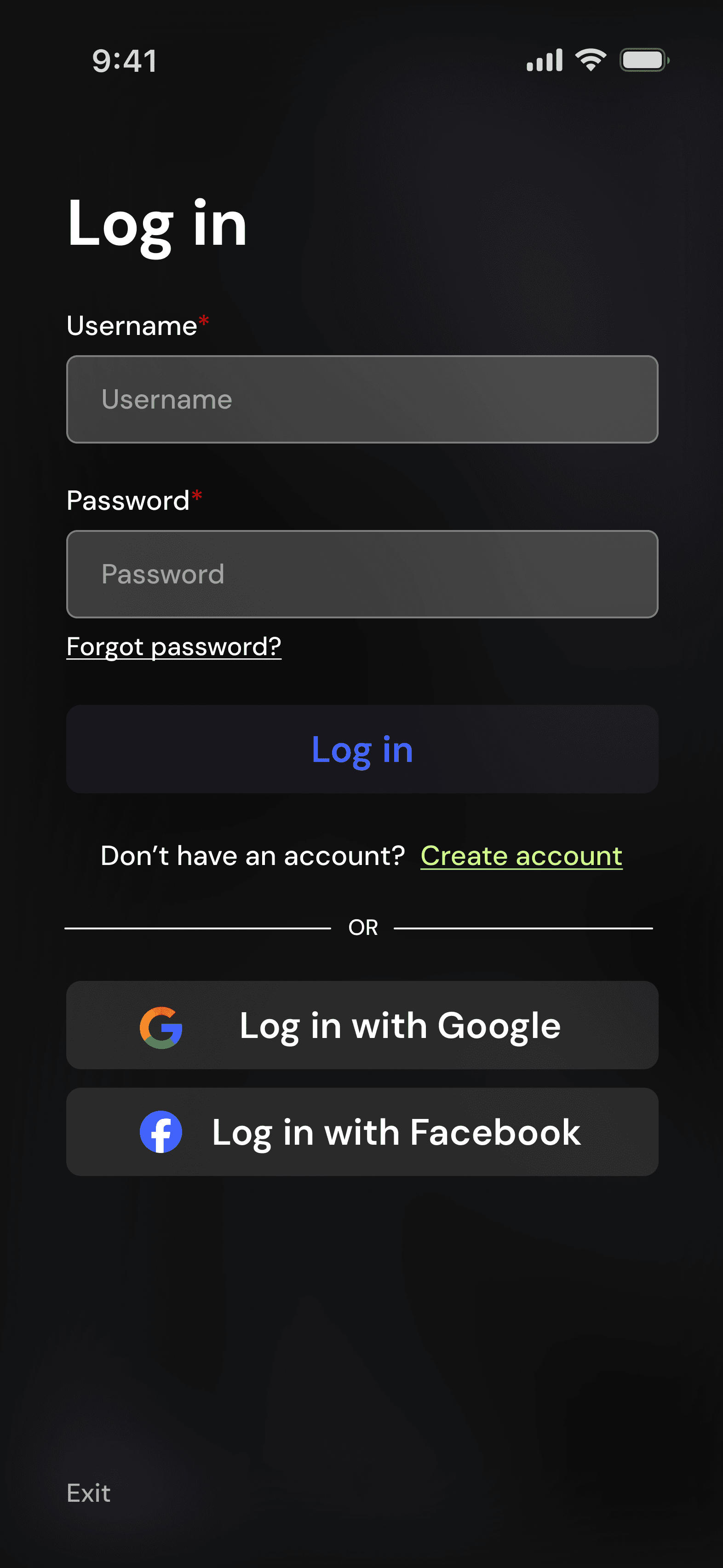
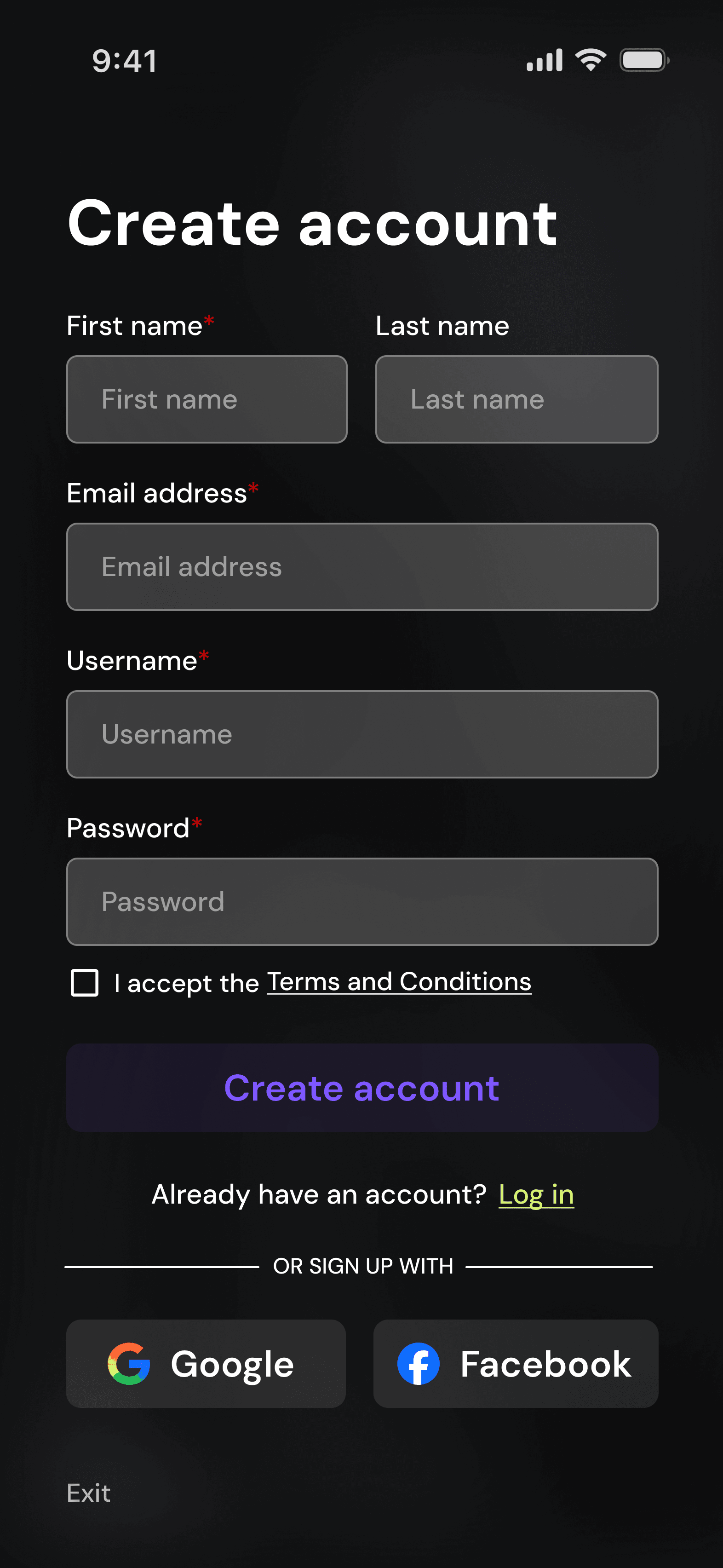
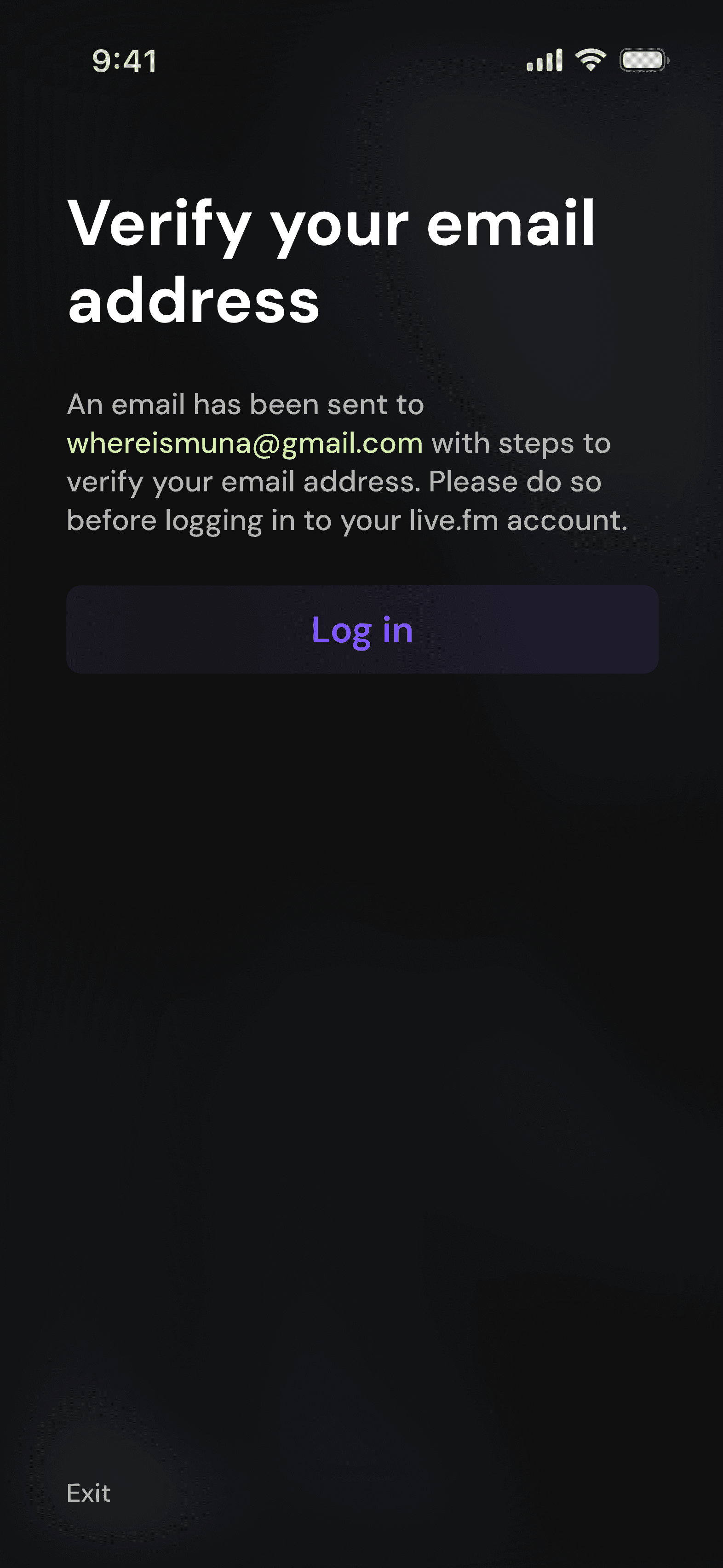
When users first begin onboarding, they are taken to the 'log in' page. From there, they can log in, reset their password, or choose to create an account instead. From the 'create account' page, users can return to the log in screen or create an account, where they will then be prompted to verify their email address.
All pages feature an exit button in the bottom left corner of the screen if users wish to return to the welcome screens.
When users first begin onboarding, they are taken to the 'log in' page. From there, they can log in, reset their password, or choose to create an account instead. From the 'create account' page, users can return to the log in screen or create an account, where they will then be prompted to verify their email address.
All pages feature an exit button in the bottom left corner of the screen if users wish to return to the welcome screens.
Statistics
Statistics
Statistical dashboard
Statistical dashboard
Overview insights
Overview insights
Events per year insights
Events per year insights
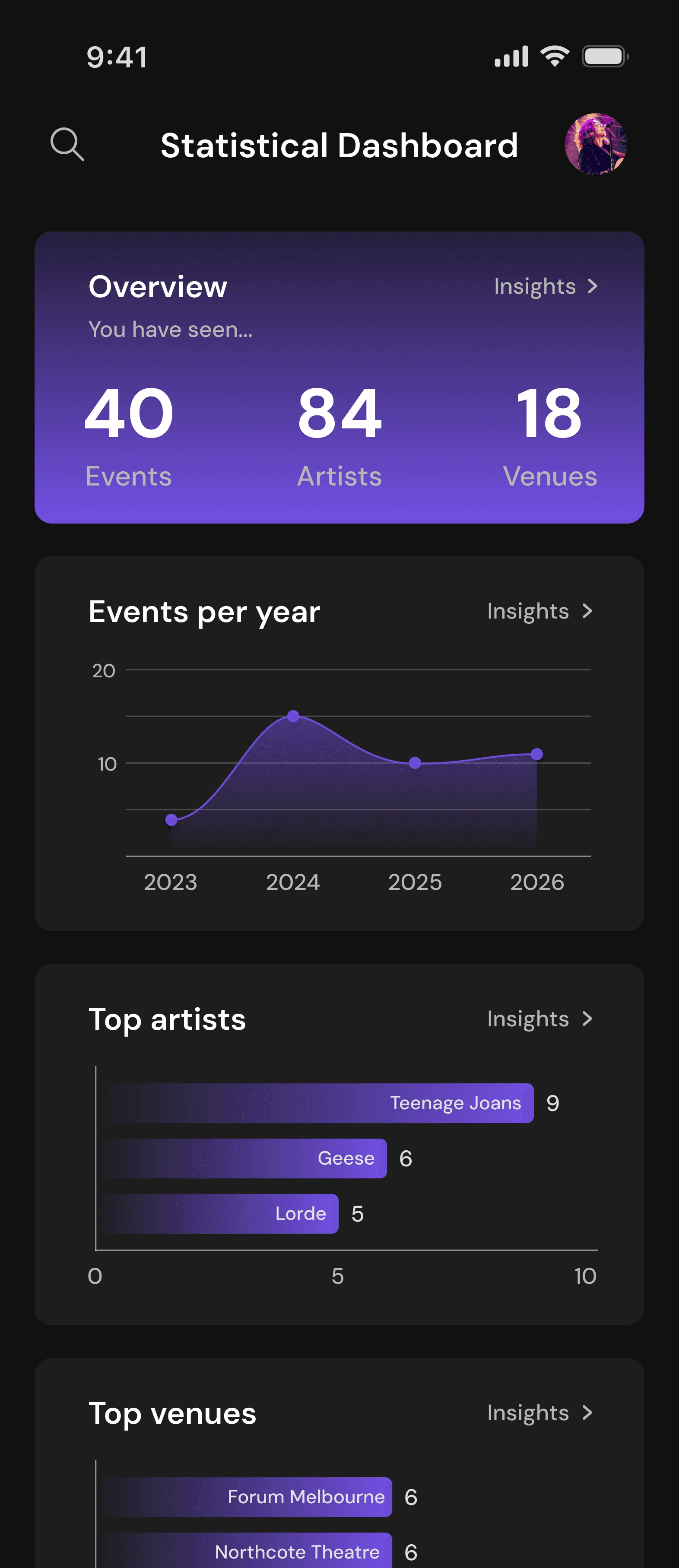
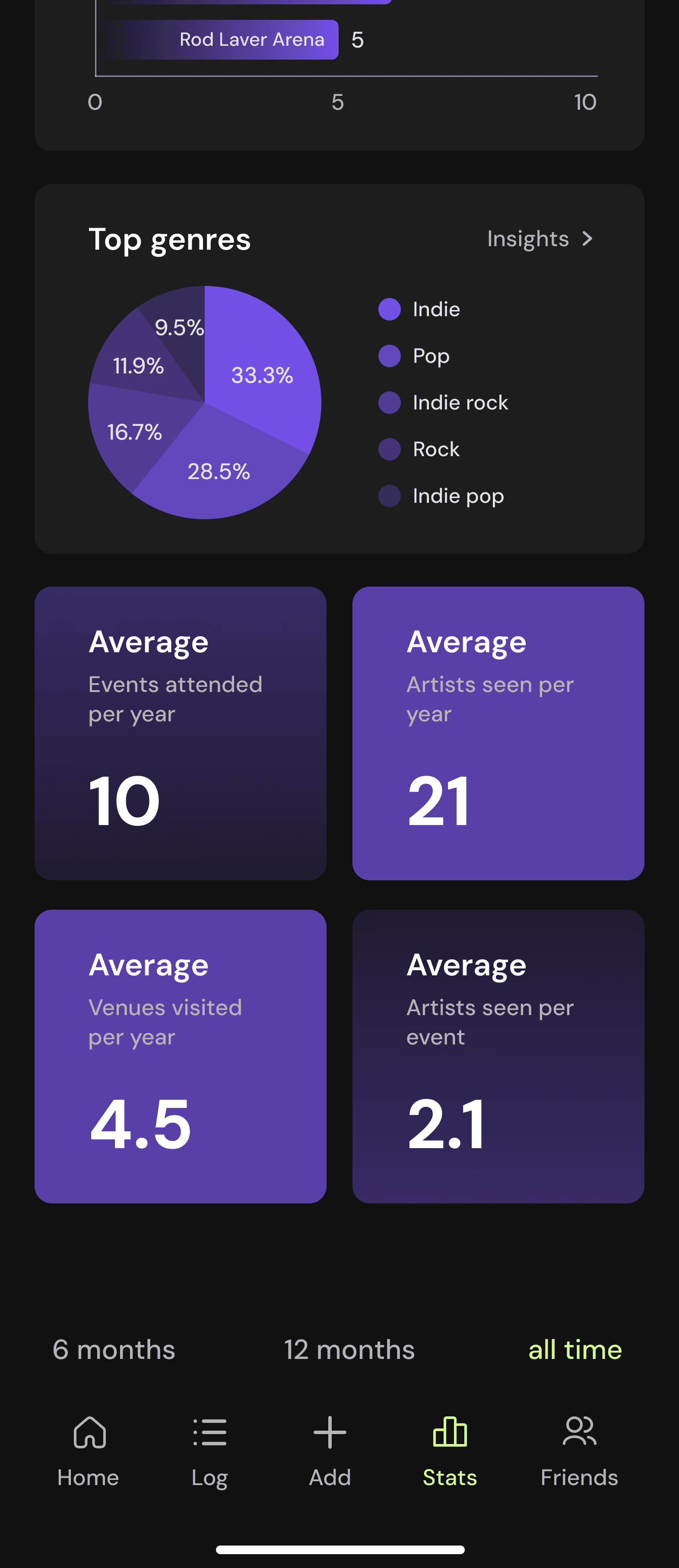
The statistical dashboard features all of a user's statistics in one place. The overview statistic is featured first, since participants expressed that simple tallies are what they value most. Users are able to filter their statistics by specified time periods above the navigation bar and can enter statistic insight pages by tapping a statistic.
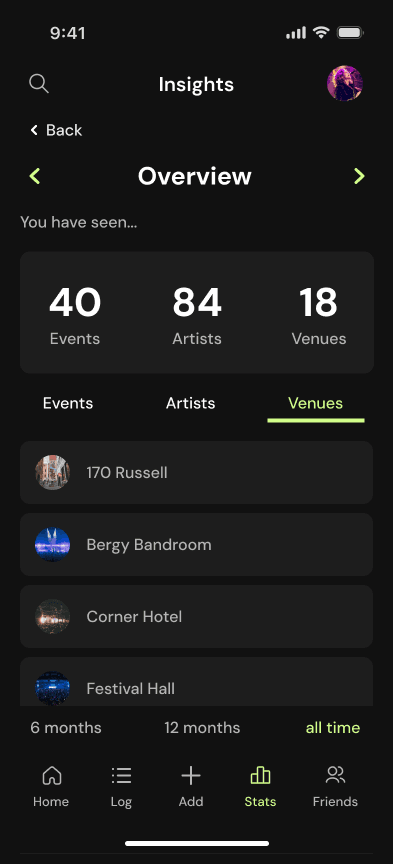
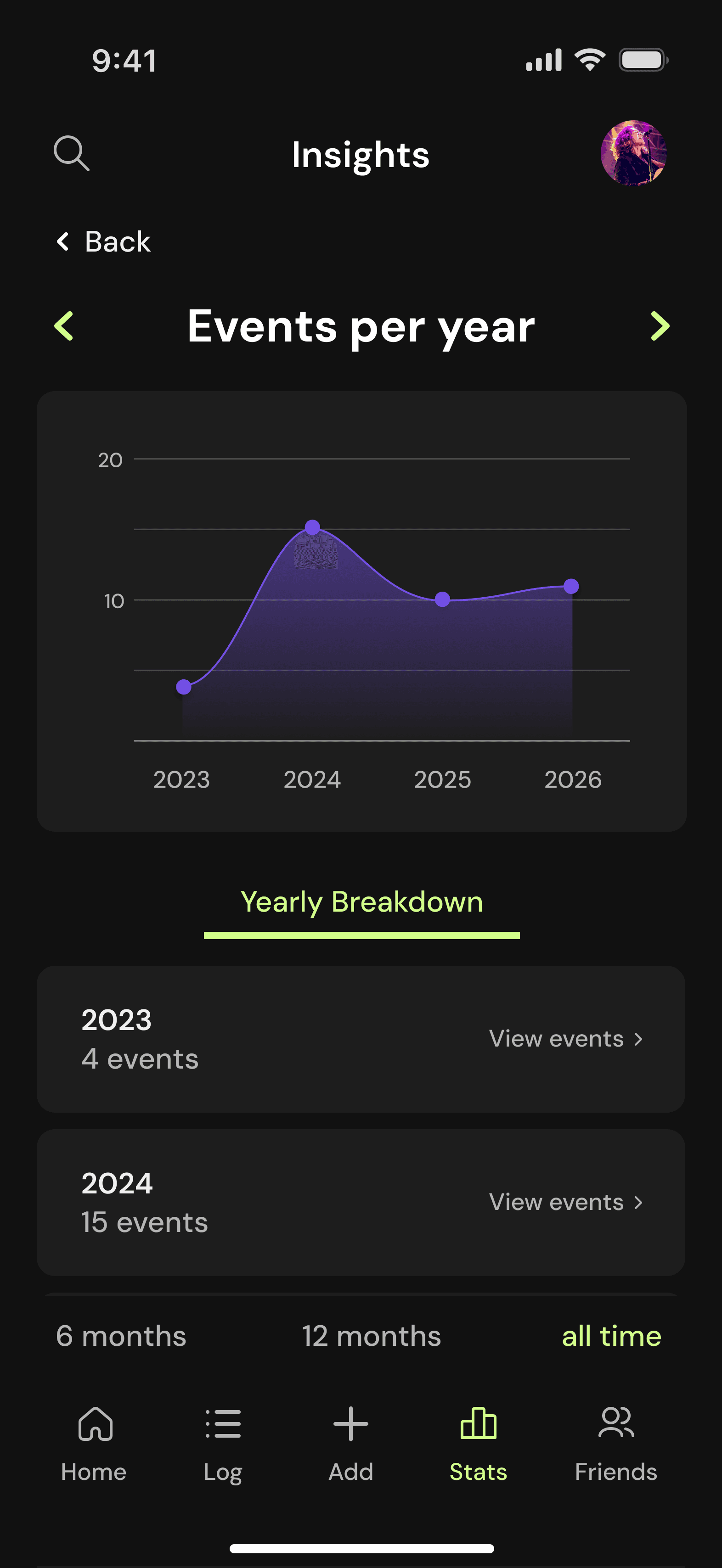
All statistic insight pages show the featured statistic at the top of the screen, with detailed information below it. Users can return to their statistical button through a 'back' button or cycle through other insight pages using the featured arrows. The overview insight page features three tabs labelled as each of the three statistics.
The search and profile icons are featured in the app's header and are accessible from most screens within the app.
The statistical dashboard features all of a user's statistics in one place. The overview statistic is featured first, since participants expressed that simple tallies are what they value most. Users are able to filter their statistics by specified time periods above the navigation bar and can enter statistic insight pages by tapping a statistic.
All statistic insight pages show the featured statistic at the top of the screen, with detailed information below it. Users can return to their statistical button through a 'back' button or cycle through other insight pages using the featured arrows. The overview insight page features three tabs labelled as each of the three statistics.
The search and profile icons are featured in the app's header and are accessible from most screens within the app.
Design System
Design System
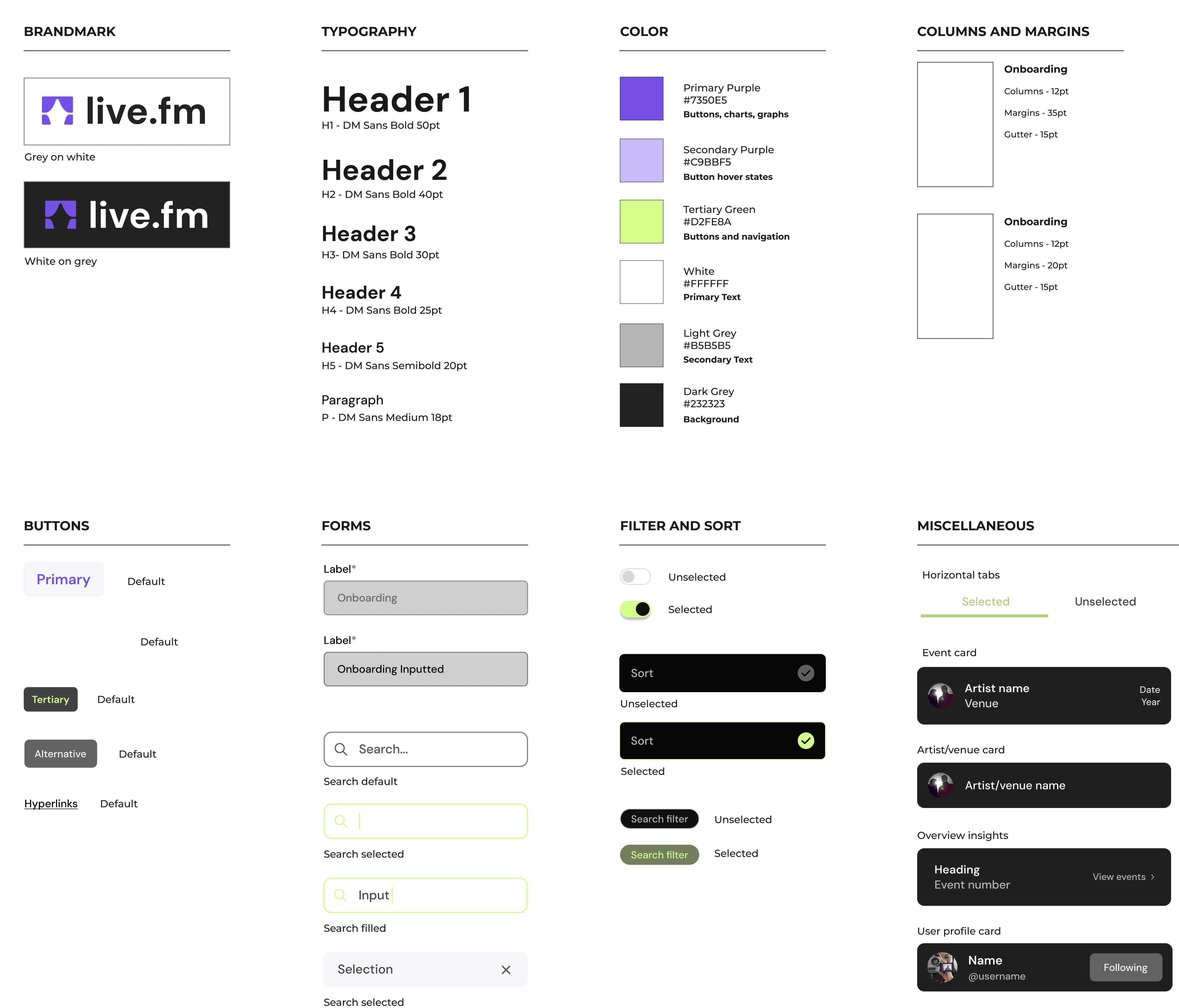
During interviews, multiple participants stated that they are much more likely to use an app if the interface is modern and visually pleasing. They stated that text should be legible, the design should be modern and the colours used should be fun.
DM Sans is used throughout the app as it is variable and simple to read. Purple and lime green are bright and fun colours, reflecting the exciting and bold nature of live music. They are also complementary, making them pleasing to look at when used together.
Time-to-Task Testing
Time-to-Task Testing
Overview
Overview
Overview
To test the effectiveness of my first iteration designs, time-to-task testing was conducted on three participants across four different tasks. Testing was completed in 5 to 10 minute sessions which were recorded and timed with participant consent.
The participants of time-to-task testing are the same participants that completed the codesign sessions.
Testing Results
Testing Results
Testing Results
Task 1 - Authentication Workflow
Task 1 - Authentication Workflow
Task 1 - Authentication Workflow
Authentication Workflow Task:
Complete account registration and access your personalised dashboard.
Authentication Workflow Task:
Complete account registration and access your personalised dashboard.

Task 2 - Data Discovery
Task 2 - Data Discovery
Task 2 - Data Discovery
Data Discovery Task:
Navigate to events per quarter and identify the peak value in the 12 months view.
Data Discovery Task:
Navigate to events per quarter and identify the peak value in the 12 months view.

Task 3 - Cross-Platform Navigation
Task 3 - Cross-Platform Navigation
Task 3 - Cross-Platform Navigation
Cross-Platform Navigation Task:
Switch between the overview insights and the top venue insights using the most efficient path.
Cross-Platform Navigation Task:
Switch between the overview insights and the top venue insights using the most efficient path.

Task 4 - Temporal Comparison
Task 4 - Temporal Comparison
Task 4 - Temporal Comparison
Temporal Comparison Task:
Compare the total artists seen within the past 12 months to the total artists seen within the past 6 months.
Temporal Comparison Task:
Compare the total artists seen within the past 12 months to the total artists seen within the past 6 months.

Changes Made
Changes Made
Changes Made
Watching how participants interacted with my prototype during testing allowed me to make changes based on the observations I'd made and the struggles that participants directly informed me about.
Refining designs after testing was not a project requirement and was done after project submission. Further screens and features were developed after user testing, too.
Watching how participants interacted with my prototype during testing allowed me to make changes based on the observations I'd made and the struggles that participants directly informed me about.
Refining designs after testing was not a project requirement and was done after project submission. Further screens and features were developed after user testing, too.
Temporal filter location
Temporal filter location
Temporal filter location
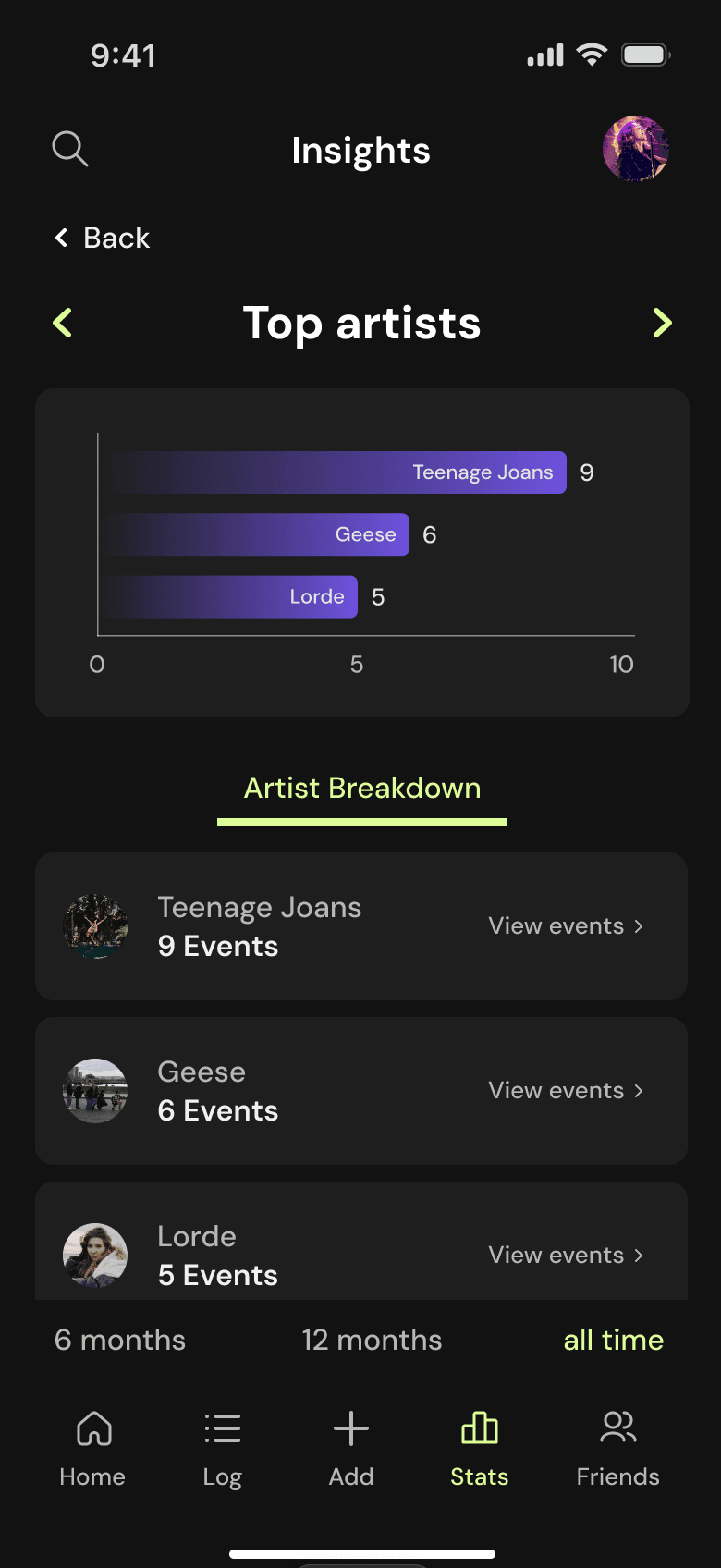
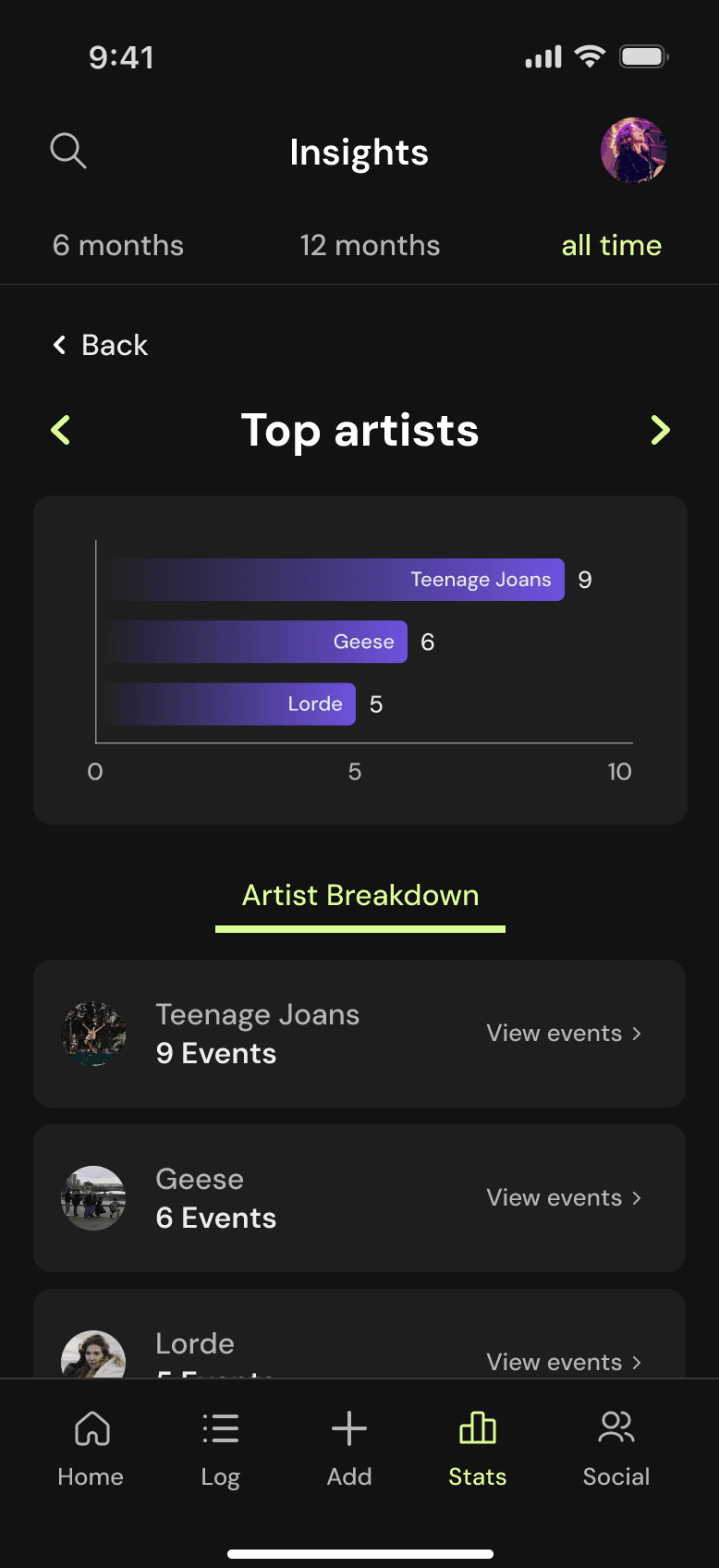
Direct feedback received from a testing participant was that it was difficult for them to locate the temporal perspectives filter due to its location. The filter was moved to the header of the page to address this.
Direct feedback received from a testing participant was that it was difficult for them to locate the temporal perspectives filter due to its location. The filter was moved to the header of the page to address this.
Before
Before
Before
After
After
After
Overview insights
Overview insights
Overview insights
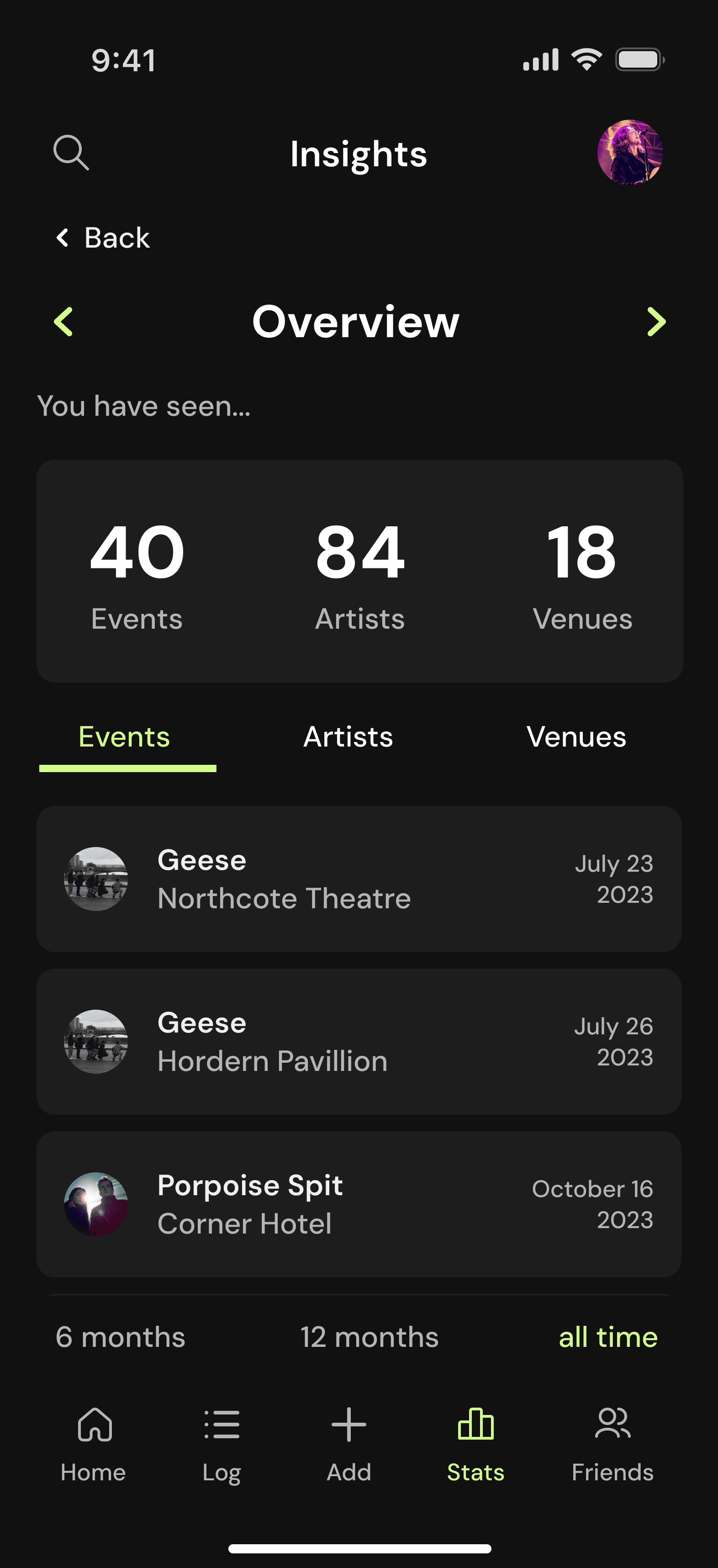
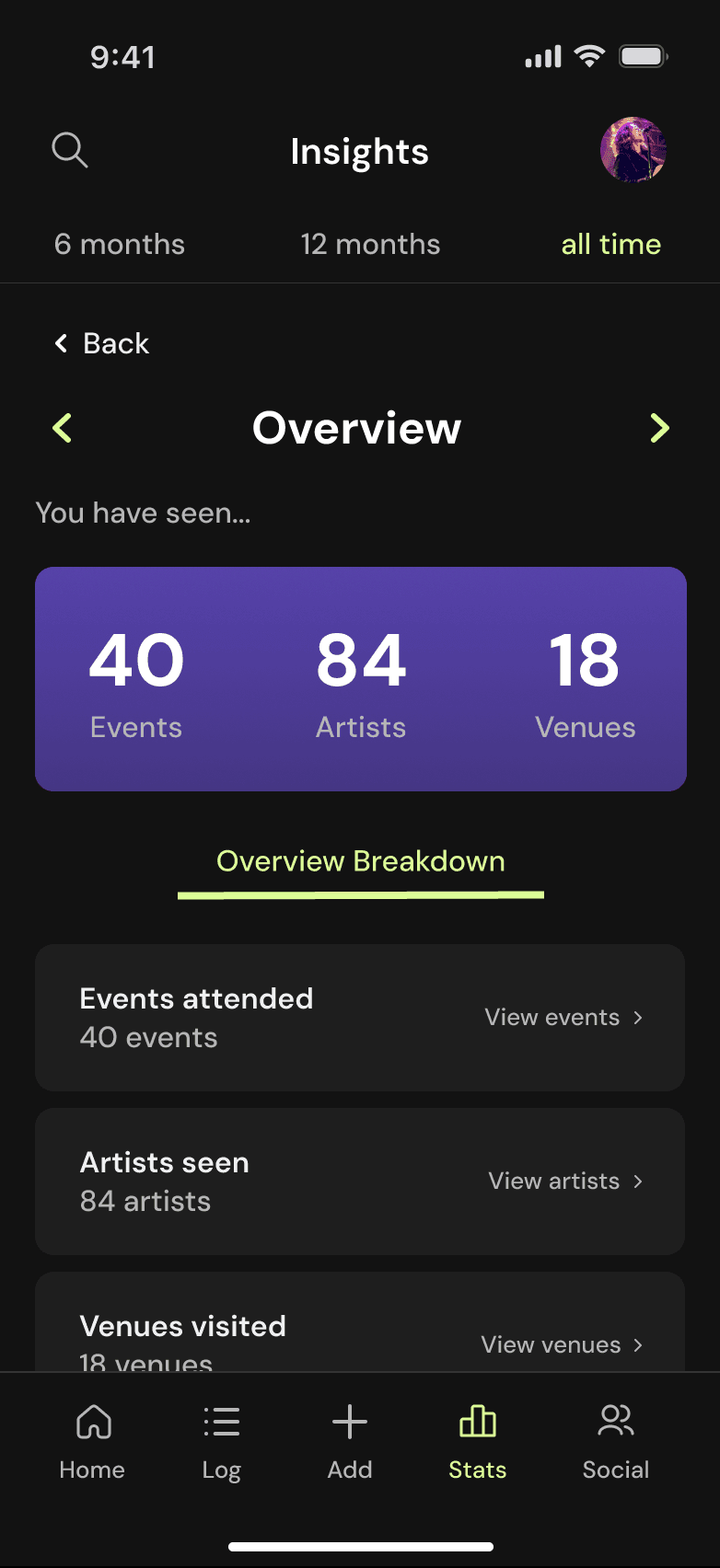
The original overview insights page featured three tabs used for navigation between the three overview statistics. Participants struggled to navigate these tabs effectively and the overview page was the only insights page to have this feature. It was changed to a card navigation format like all other insight pages.
The original overview insights page featured three tabs used for navigation between the three overview statistics. Participants struggled to navigate these tabs effectively and the overview page was the only insights page to have this feature. It was changed to a card navigation format like all other insight pages.
Before
Before
Before
After
After
After
Filter design
Filter design
Filter design
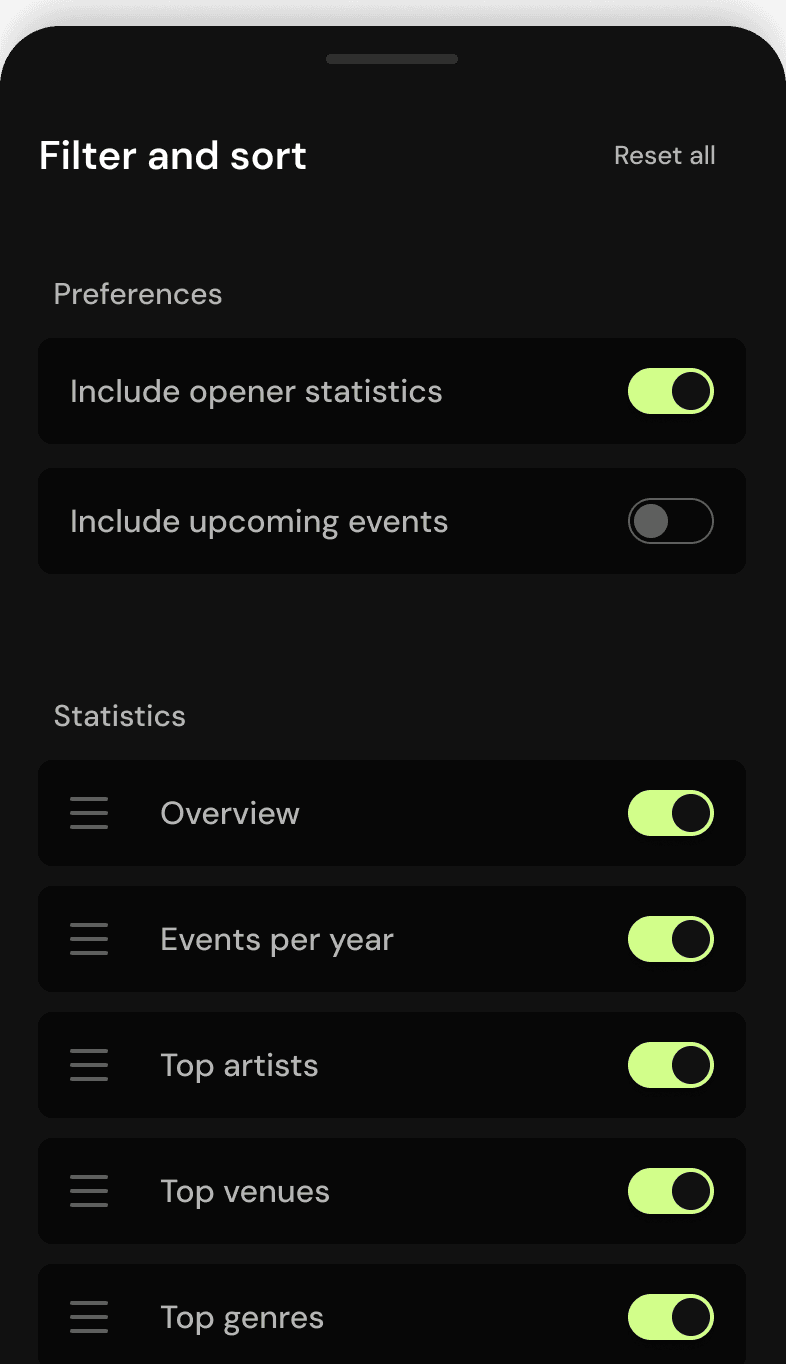
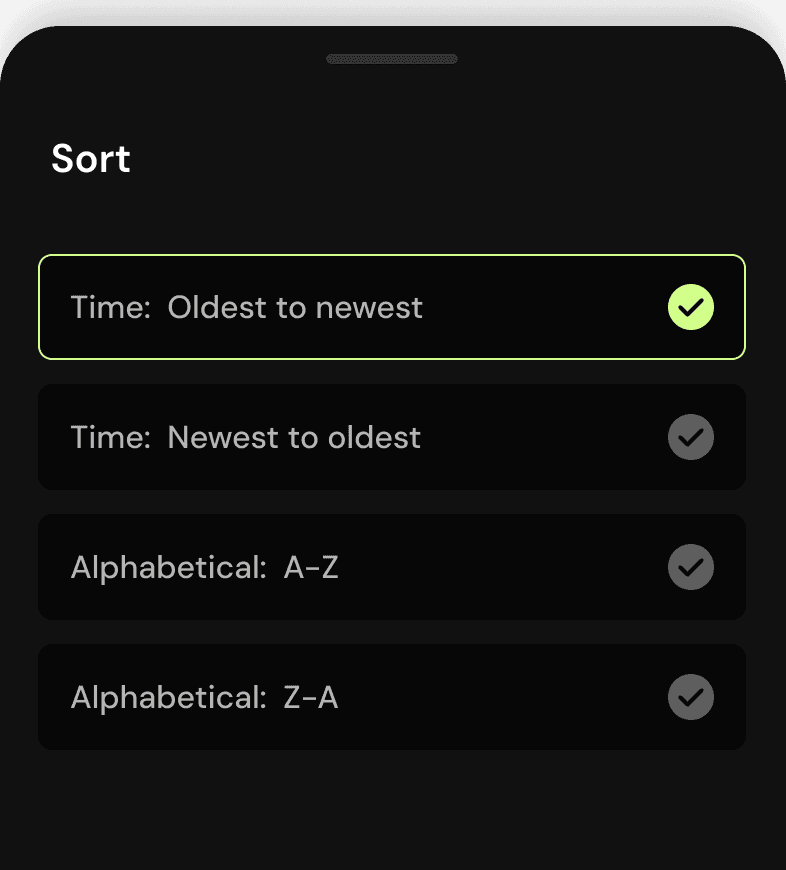
Due to time restrictions, there was no filter and sort available on the statistical dashboard. Results from user research and literary analysis show that data customisation helps users to locate information at a quicker rate.
Due to time restrictions, there was no filter and sort available on the statistical dashboard. Results from user research and literary analysis show that data customisation helps users to locate information at a quicker rate.
Dashboard filter
Dashboard filter
Dashboard filter
Sort
Sort
Sort
Navigation sizing
Navigation sizing
Navigation sizing
In my first iteration design, navigation hotspots on the statistical dashboard were quite small and only surrounded the 'insights' button on statistic cards. Many users struggled to tap these hotspots due to their size. I made the entire statistic card tappable in response to this, allowing users to navigate to insights pages with ease.
In my first iteration design, navigation hotspots on the statistical dashboard were quite small and only surrounded the 'insights' button on statistic cards. Many users struggled to tap these hotspots due to their size. I made the entire statistic card tappable in response to this, allowing users to navigate to insights pages with ease.
Final Prototype
Final Prototype
Final Prototype

Welcome and onboarding
Welcome and onboarding
Welcome and onboarding
Animations and mockups were used in welcome screens since literary analysis showed that this increases user engagement.
Statistical dashboard and insights
Statistical dashboard and insights
Statistical dashboard and insights
Allowing users to customise their dashboard and sort event cards can help them to locate information quicker.
Create event
Create event
Users can add an event by using the search function or create an event by manually inputting event details.
Event log
Event log
Event log
Users can view, filter, sort and search their event log to browse events they've attended. Splitting up filter and sort functions helps to reduce users' cognitive load.
Event profiles
Event profiles
Profiles for events, artists and venues are accessible through any respective card within the app.
User profile
User profile
From the user profile, users can access their settings and statistics, edit their profile, and view uploaded images, favourite events and upcoming events.
Search
Search
The search feature allows users to filter search results, making it more efficient to users to find their desired search results.
Home page
Home page
Home page
From the home page, users can view upcoming events relevant to them and view a timeline of their friends' activity through the 'explore' and 'following' tabs respectively.
Social page
Social page
The social page shows users the accounts they follow, accounts that follow them and their follow requests. A social element was highly regarded by participants during user interviews.
In Summary
In Summary
In Summary
Reflection
Reflection
Since creating live.fm was my first experience with using Figma to prototype, I struggled in the beginning with using necessary features such as auto layout. This was a significant learning curve for me, however, I believe going out of my way to construct information properly in my work was beneficial for the overall quality of my prototype.
In the future, planning my prototype fully before designing will help me to construct the navigation and filtering systems within my prototype properly from the beginning.
Since creating live.fm was my first experience with using Figma to prototype, I struggled in the beginning with using necessary features such as auto layout. This was a significant learning curve for me, however, I believe going out of my way to construct information properly in my work was beneficial for the overall quality of my prototype.
In the future, planning my prototype fully before designing will help me to construct the navigation and filtering systems within my prototype properly from the beginning.
Limitations
Limitations
It is important to note that there may be some inaccuracies in user research due to a lack of diversity in participants. Interviewing a wider range of participants across a more variable age range and ability range may have resulted in more accurate results.
Similarly, since there were only three participants in time-to-task testing, it is possible that the results aren't entirely accurate. In the future, using more testing participants will be beneficial.
It is important to note that there may be some inaccuracies in user research due to a lack of diversity in participants. Interviewing a wider range of participants across a more variable age range and ability range may have resulted in more accurate results.
Similarly, since there were only three participants in time-to-task testing, it is possible that the results aren't entirely accurate. In the future, using more testing participants will be beneficial.
live.fm
Project Overview
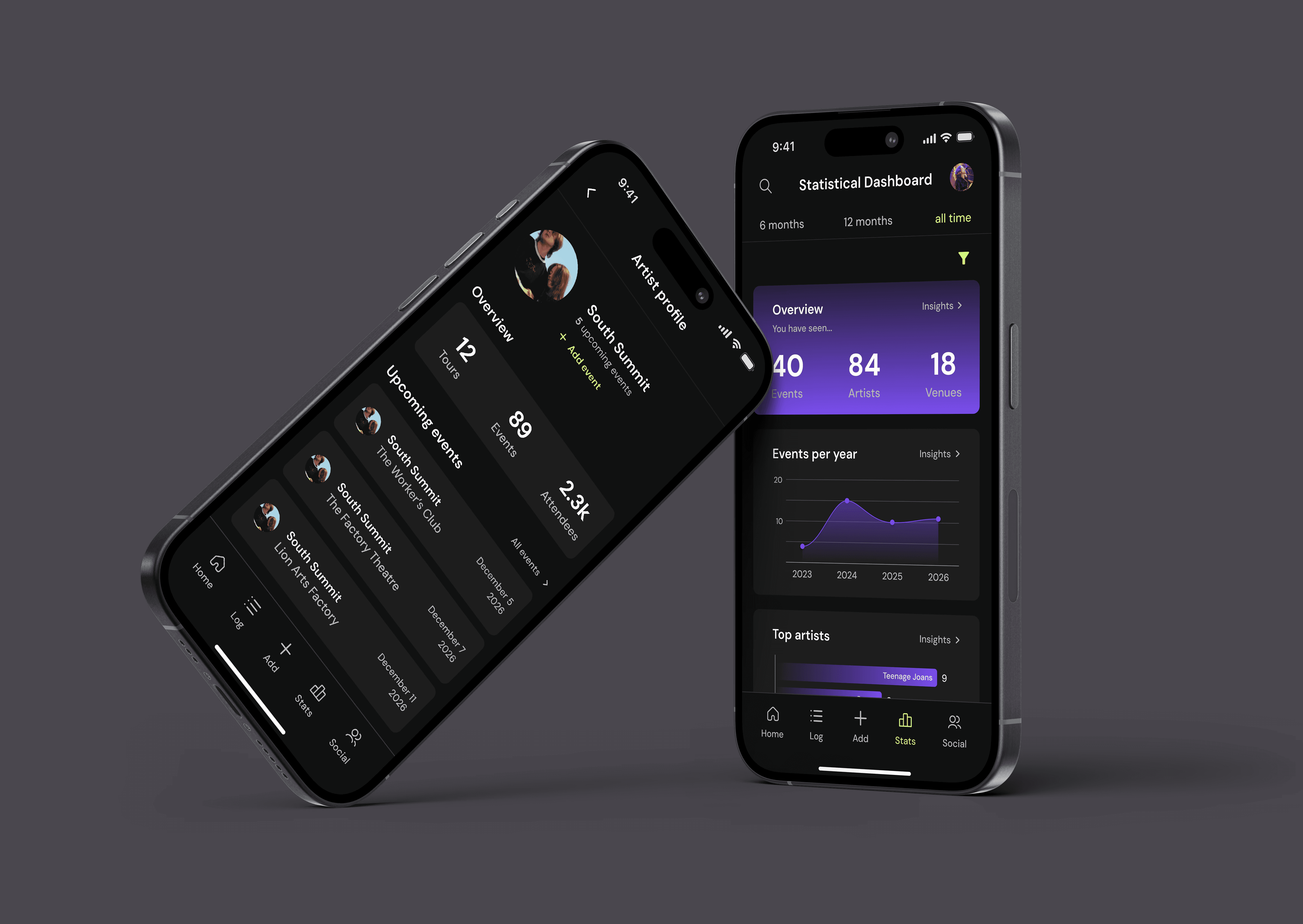
Live.fm is a statistical visualisation application created for an Experience Design and Usability class. The app allows users to track their live music and concert attendance, view their attendance statistics through a statistical dashboard and follow their friends' profiles.
Discipline
UX/UI Design
My Role
UX Researcher
UI Designer
Deliverables
Mobile App
Time Frame
16 weeks
View prototype
Welcome to live.fm,
your new favourite concert tracker.
Welcome to live.fm,
your new favourite concert tracker.
Introducing Live.fm
Brief Overview
The objective of the assigned project brief was to create a statistical visualisation application within a category of my choice. The chosen concept for my app is a concert and live music event tracking app called live.fm. Live.fm allows users to create a social profile and connect with friends, track events they've attended or are going to attend, upload personal event photos and view their attendance statistics in various visualised forms.
Designing Live.fm
Design System
During interviews, multiple participants stated that they are much more likely to use an app if the interface is modern and visually pleasing. They stated that text should be legible, the design should be modern and the colours used should be fun.
DM Sans is used throughout the app as it is variable and simple to read. Purple and lime green are bright and fun colours, reflecting the exciting and bold nature of live music. They are also complementary, making them pleasing to look at when used together.
First Designs
Since the project brief only required the prototype design of app onboarding, the statistical dashboard and statistic insight screens, these were the only screens designed prior to user testing.
Welcome Screens
Landing screen
Welcome screen
Slide 2
Slide 3
Slide 4
Introductory information is given to users across a series of four screens. This allows me to highlight various features of the app without overwhelming users with large amounts of information.
A progress bar at the bottom of the screen shows users what slide they are on and they are able to either skip all slides or go back to the first slide using a button in the top right corner of the screen. On the final slide, users are prompted to 'get started' using a button that will take them to onboarding.
Onboarding Screens
Log in
Create account
Verification
Password reset
When users first begin onboarding, they are taken to the 'log in' page. From there, they can log in, reset their password, or choose to create an account instead. From the 'create account' page, users can return to the log in screen or create an account, where they will then be prompted to verify their email address.
All pages feature an exit button in the bottom left corner of the screen if users wish to return to the welcome screens.
Statistics
Statistical dashboard
Overview insights
Events per year insights
The statistical dashboard features all of a user's statistics in one place. The overview statistic is featured first, since participants expressed that simple tallies are what they value most. Users are able to filter their statistics by specified time periods above the navigation bar and can enter statistic insight pages by tapping a statistic.
All statistic insight pages show the featured statistic at the top of the screen, with detailed information below it. Users can return to their statistical button through a 'back' button or cycle through other insight pages using the featured arrows. The overview insight page features three tabs labelled as each of the three statistics.
The search and profile icon are featured in the app's header and are accessible from most screens within the app.